Overview:
The Generate Annual QAP Excel File feature allows users to generate the Annual QAP Excel file for BIR Form 1604E directly from BIR > QAP. This feature enables users to export detailed Expanded Withholding Tax (EWT) transactions in Excel format, making it easier to review and validate Annual QAP data before BIR submission.
The file created includes detailed records of each transaction rather than just summary information for each supplier or withholding tax, and it also includes the improvements made earlier by adding Schedule 1 and Schedule 2 to the QAP Excel File option. It serves as a supporting report for preparing and validating BIR Form 1604E and its required alphalist attachments, ensuring that Expanded Withholding Tax transactions are complete and ready for submission.
This feature is applicable only to Expanded Withholding Tax (EWT) and requires available QAP data in the selected taxable year and quarter to generate the Excel file.
Scenario:
At year-end, Maria, an accountant, needs to file BIR Form 1604E. She must submit a complete list of all suppliers subject to expanded withholding tax. Instead of manually compiling the data, she generates the Annual QAP Excel file from the system, reviews it, and submits it together with the BIR report.
Procedure:
Navigate to BIR > QAP > Select the Taxable Year and Taxable Quarter (based on the QAP data to be included in the Annual Excel file).
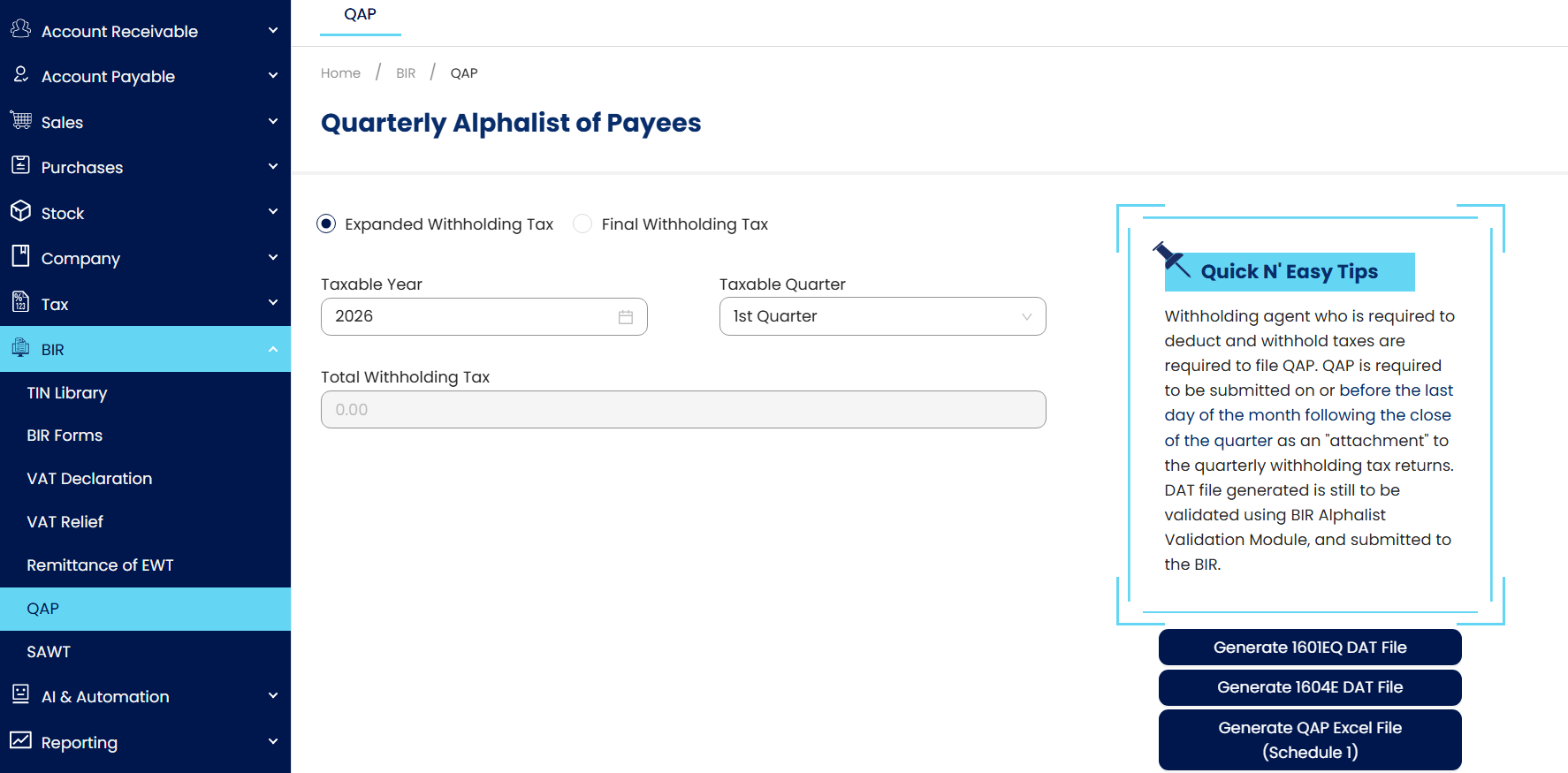
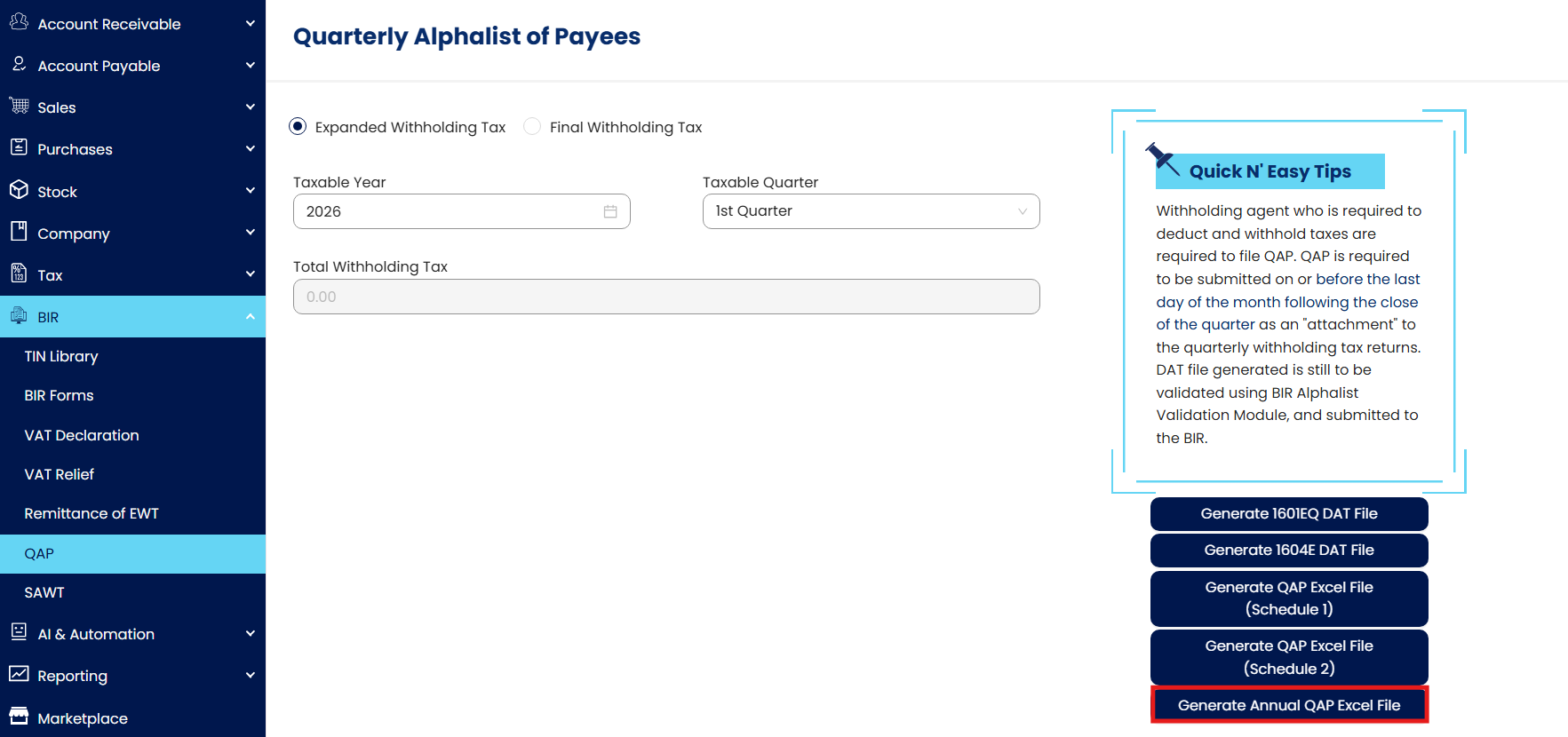
Click Generate Annual QAP Excel File.
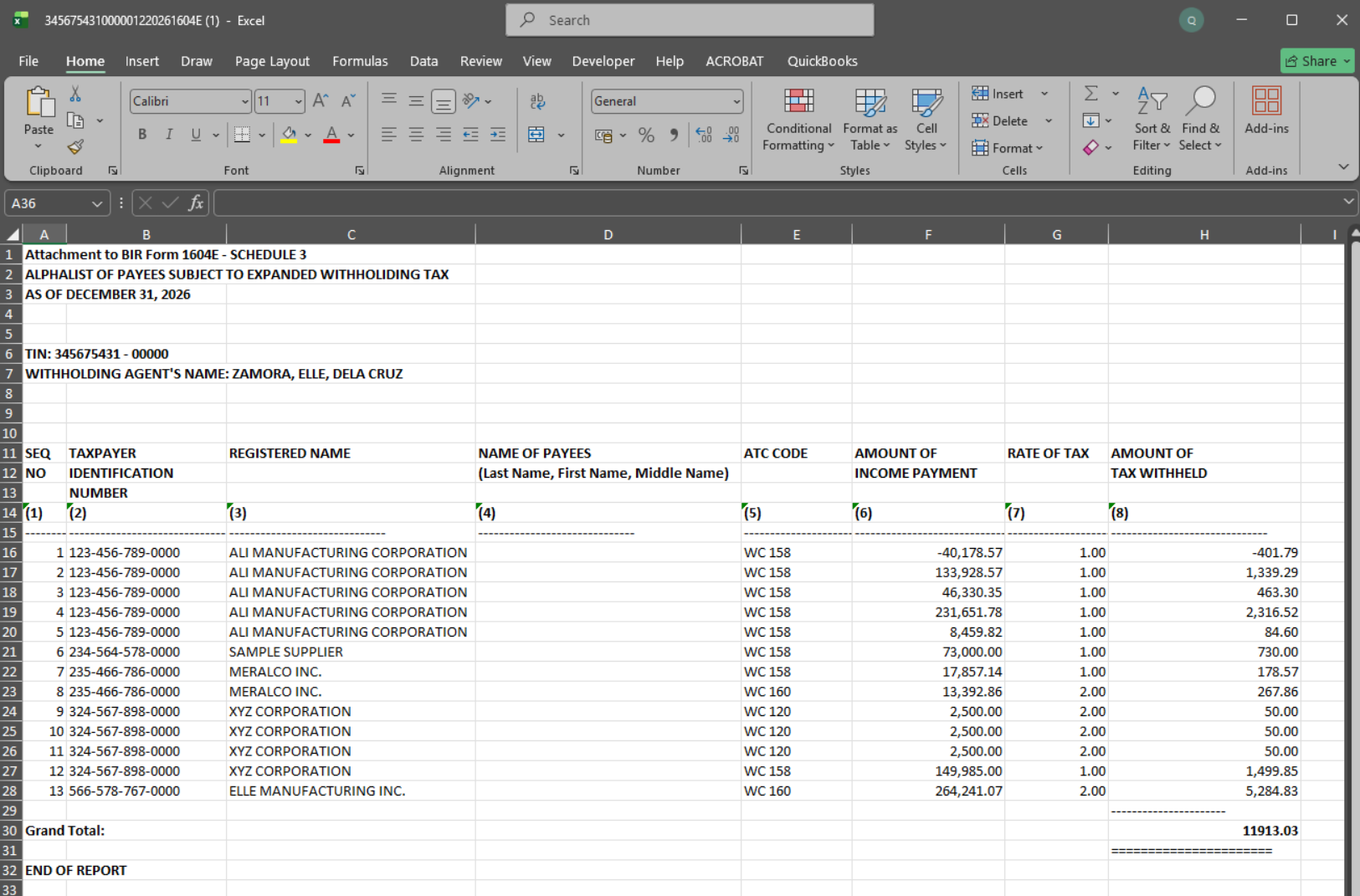
The Annual QAP Excel File will automatically be downloaded. Verify that the file contains the complete transaction details for BIR Form 1604E
Application:
This feature helps users:Annual BIR Form 1604E Preparation: Generate the Annual QAP Excel file to support the preparation and validation of BIR Form 1604E and its required alphalist attachments.
Detailed EWT Transaction Review: Extract detailed Expanded Withholding Tax (EWT) transactions for accurate review and verification before submission.
Compliance and Reporting Support: Ensure withholding tax data is complete and properly organized for BIR compliance and annual reporting.
Schedule 1 and Schedule 2 Validation: Review Schedule 1 and Schedule 2 transaction details in Excel for easier reconciliation and checking.
Efficient Annual QAP Processing: Reduce manual effort and speed up the generation of Annual QAP reports and supporting documents.
System Scope: QNE AI Cloud Accounting / N3 AI Accounting
Was this article helpful?
That’s Great!
Thank you for your feedback
Sorry! We couldn't be helpful
Thank you for your feedback
Feedback sent
We appreciate your effort and will try to fix the article