Overview
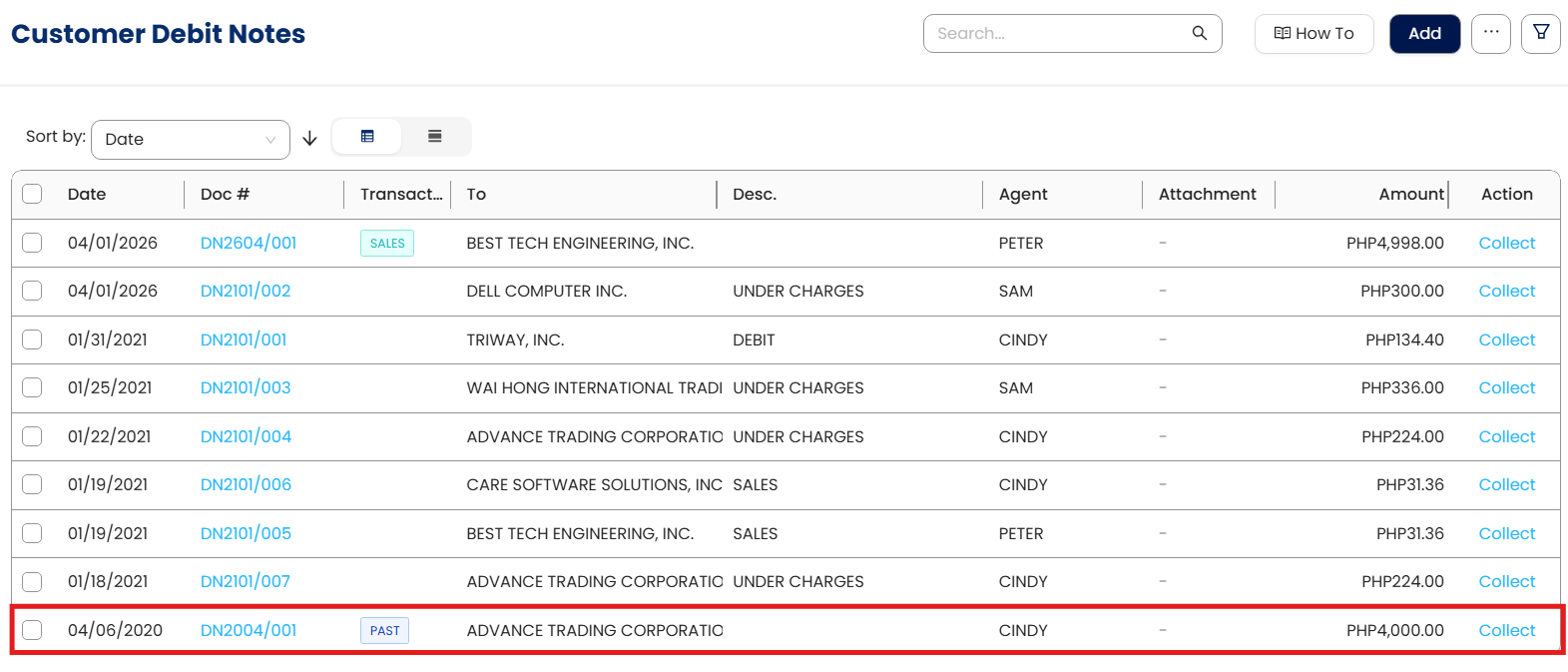
Past Debit Notes in N3 AI Accounting are used to record increases to Accounts Receivable for adjustments such as additional charges or corrections prior to the cut-off date. When the Document Date is before the cut-off, the system classifies the transaction as a Past Debit Note, helping ensure AR balances in the customer ledger and GL Opening Balance reflect the intended accounting period.
Intended for accounting staff handling AR adjustments, this feature supports accurate reporting and reconciliation of customer balances.
Scenario
Your company needs to record adjustments or additional charges to customer balances as of the cut-off date. By entering each debit note with a Document Date before the cut-off, the system automatically classifies it as a Past Debit Note, updating AR balances and supporting accurate reporting at the transaction level.
Prerequisites
Customer master data must exist.
Accounting period for the cut-off date must be defined.
Procedure
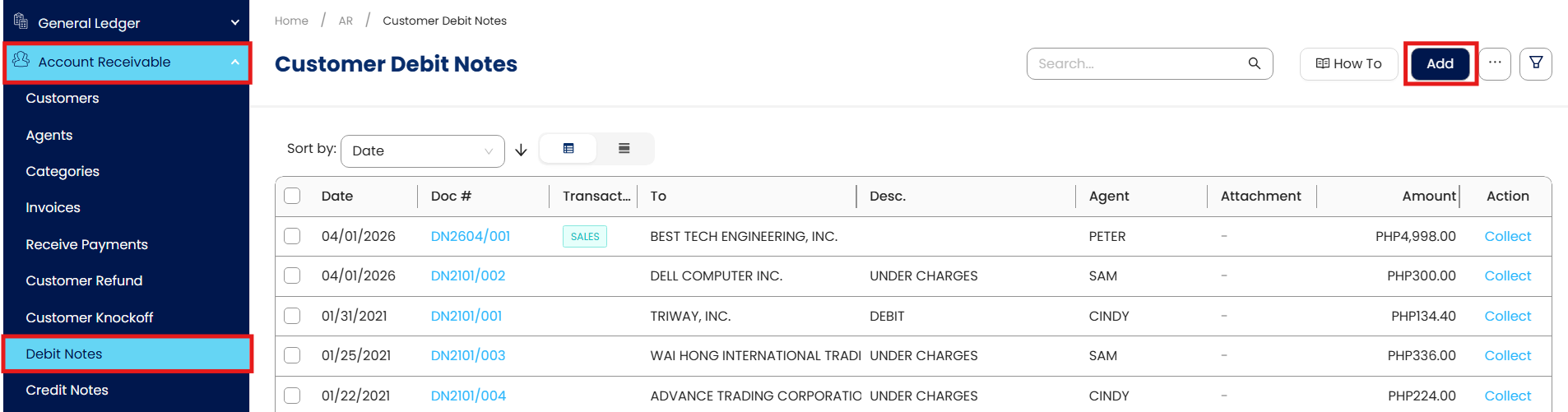
Navigate to Accounts Receivable > Debit Notes, then click Add.
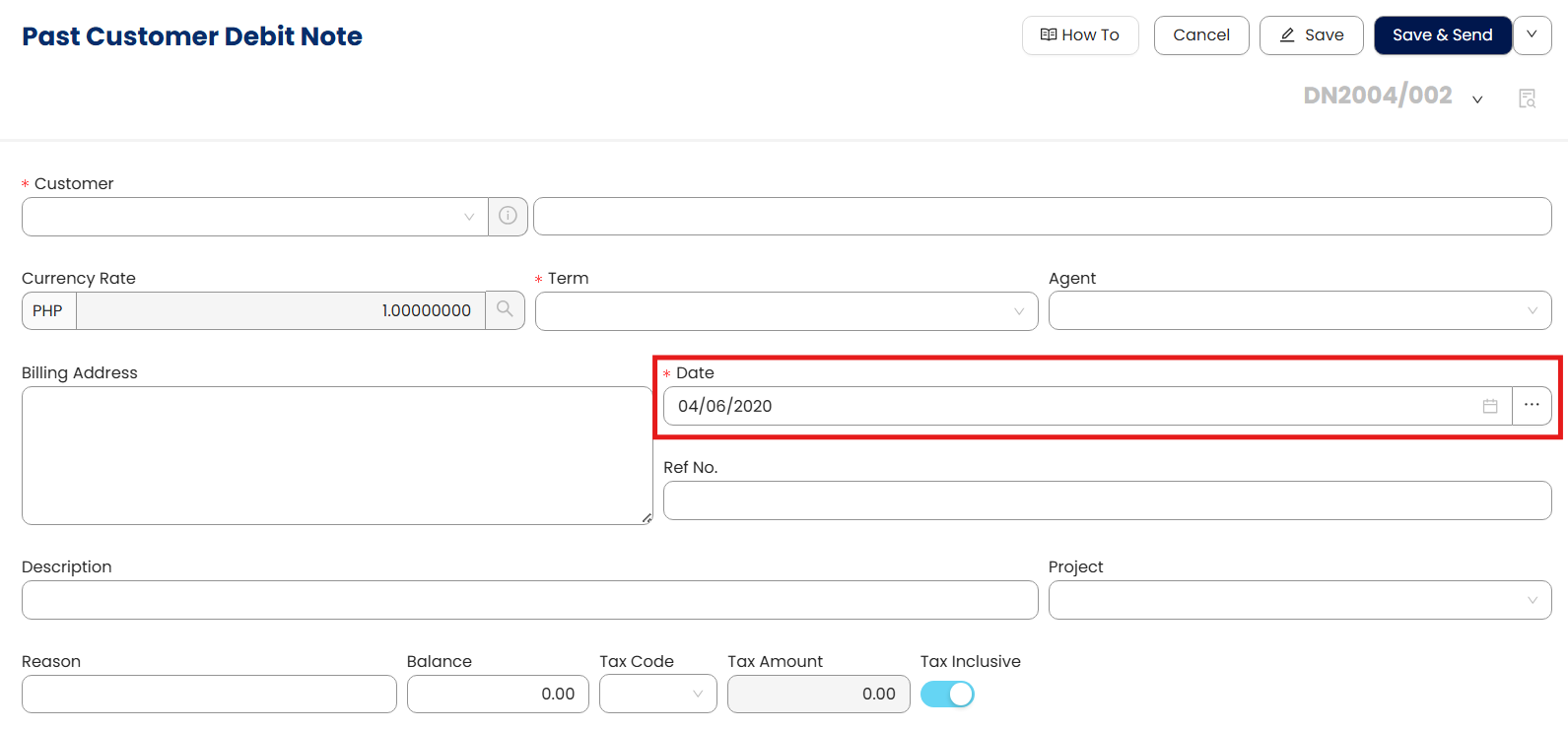
Enter the Document Date first. It must be before the cut-off date for the accounting period.
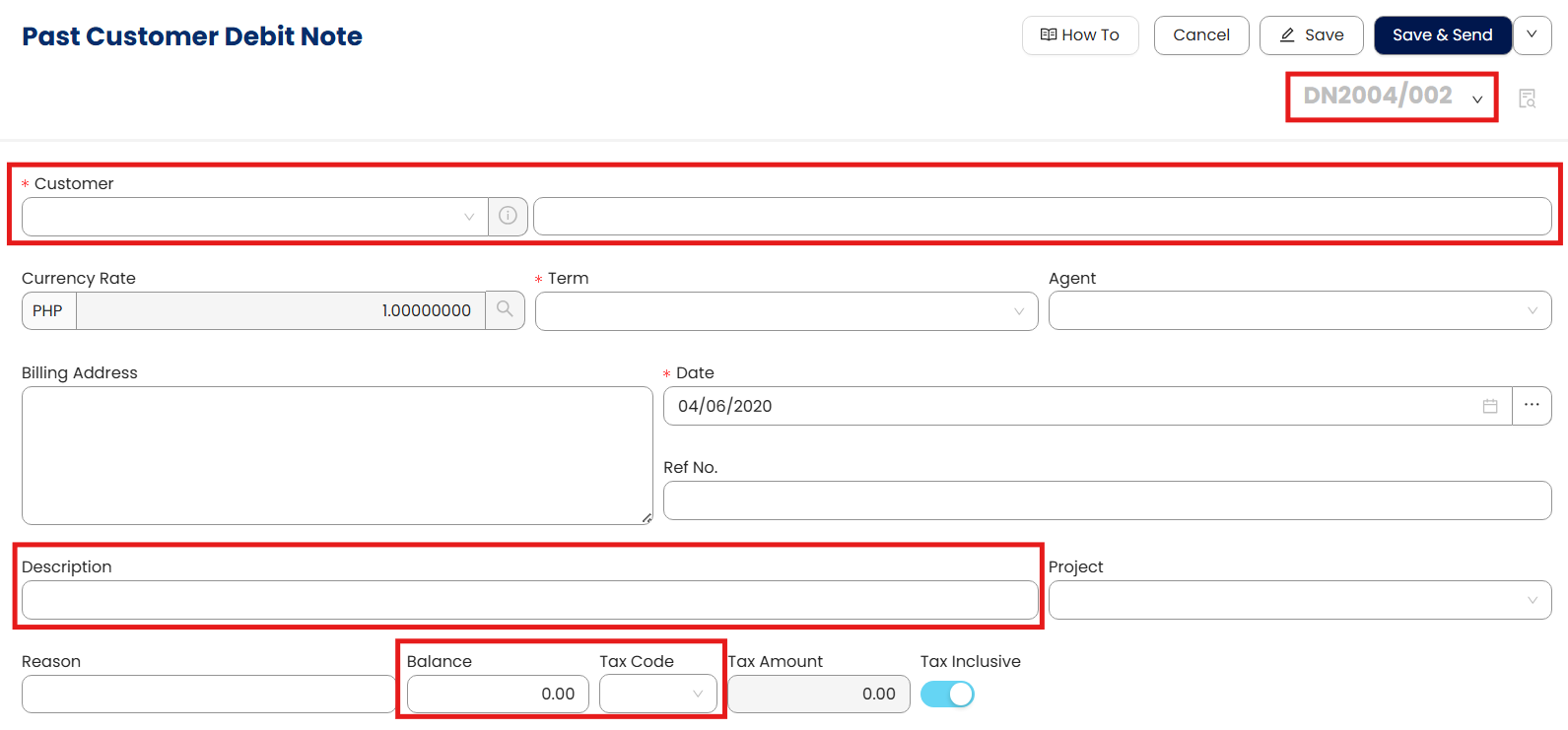
Complete the remaining fields in order: Debit Note No., Customer details, Description, Amount Balance, Tax Code.
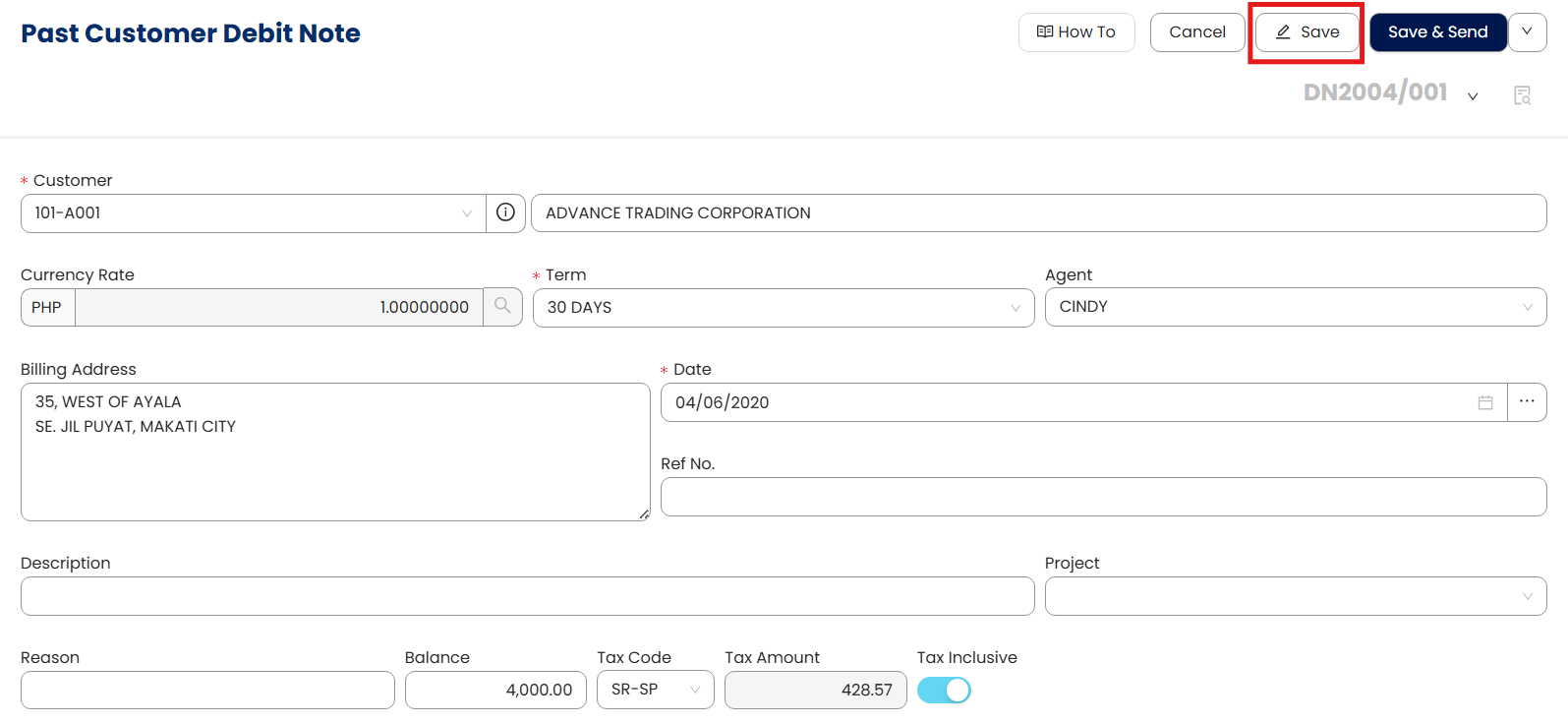
Click Save to record the transaction.
Verify the debit note appears in the AR ledger or relevant transaction report.
Note: Lumpsum balances per customer can be recorded, but entering per debit note is recommended for detailed reporting, tracking, and reconciliation.
Application (Use Cases)
Past Debit Notes are used to:
Record adjustments or additional charges as of the cut-off date.
Maintain accurate AR balances in the customer ledger.
Reflect correct opening balances in the GL.
Support detailed reporting and reconciliation when entered per transaction.
Facilitate audit trails by maintaining per-transaction entries.
System Scope: QNE AI Cloud Accounting / N3 AI Accounting
Was this article helpful?
That’s Great!
Thank you for your feedback
Sorry! We couldn't be helpful
Thank you for your feedback
Feedback sent
We appreciate your effort and will try to fix the article