Overview:
Cash Sale Refund is a counterpart form of Cash Sale. This form is used to allow the maintained and walk-in customers to refund their cash transactions and enables the system to reverse the customer's payment as well as update the stock inventory.
In the system, a Cash Sale Refund can only be created if there is an existing Cash Sale to be refunded; therefore, there are two methods available for creating a Cash Sale Refund:
Add New Cash Sale Refund > Transfer from Cash Sales
In Cash Sales > Transfer to Cash Sale Refund
Procedure:
Method 1: Transfer from Cash Sales
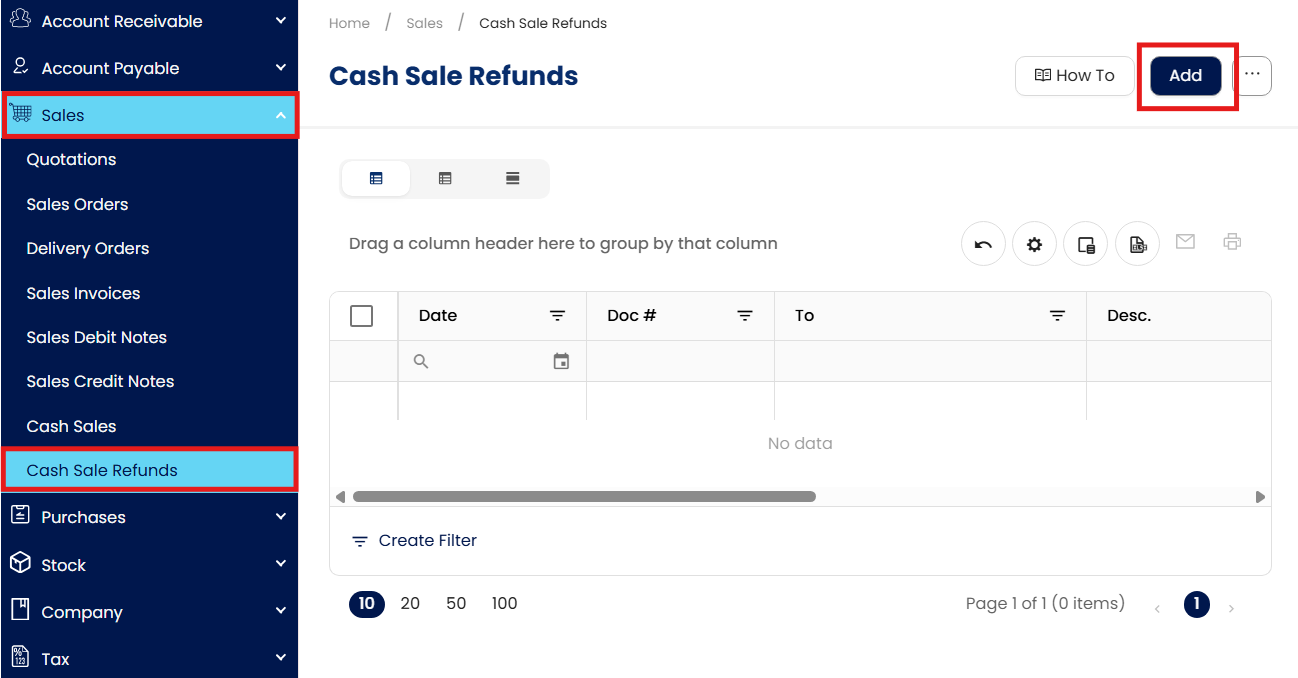
In the Navigation Pane, go to Sales > Cash Sale Refunds, then click Add.
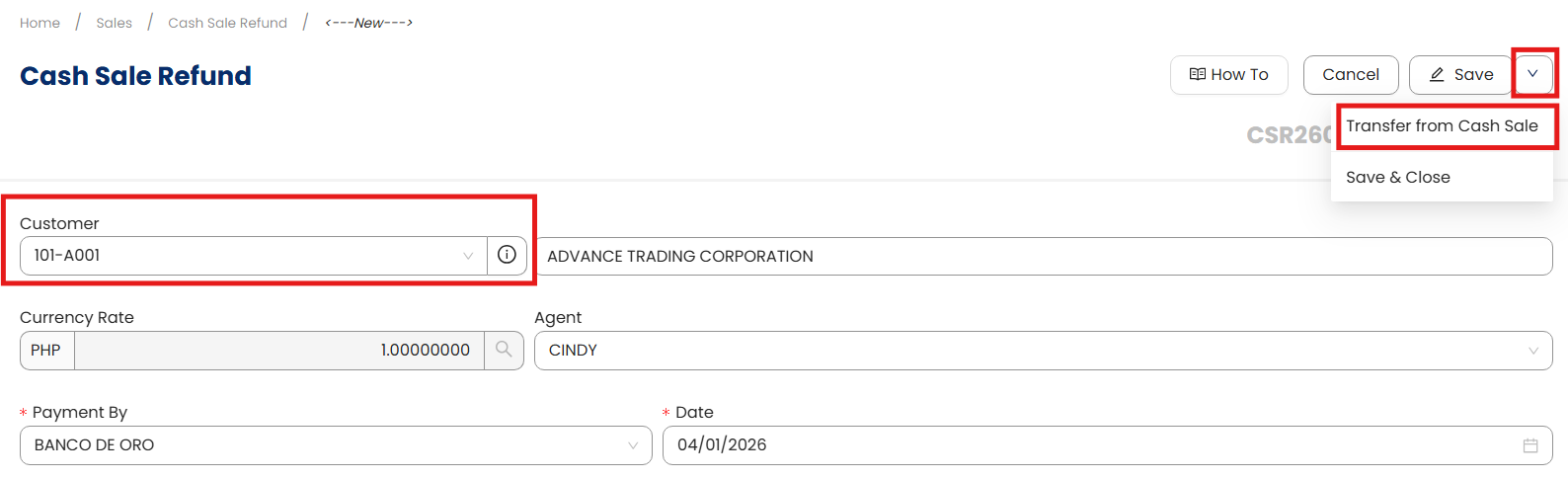
Select Customer > Transfer from Cash Sale
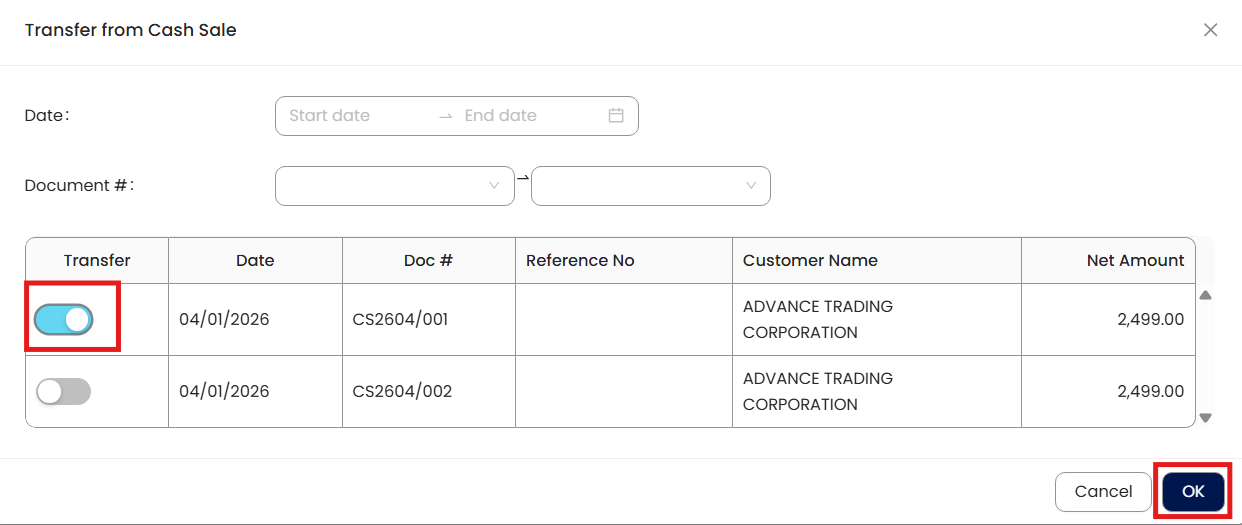
In Transfer from Cash Sales, select Cash Sale transaction to be refunded. Once done, click ‘OK’
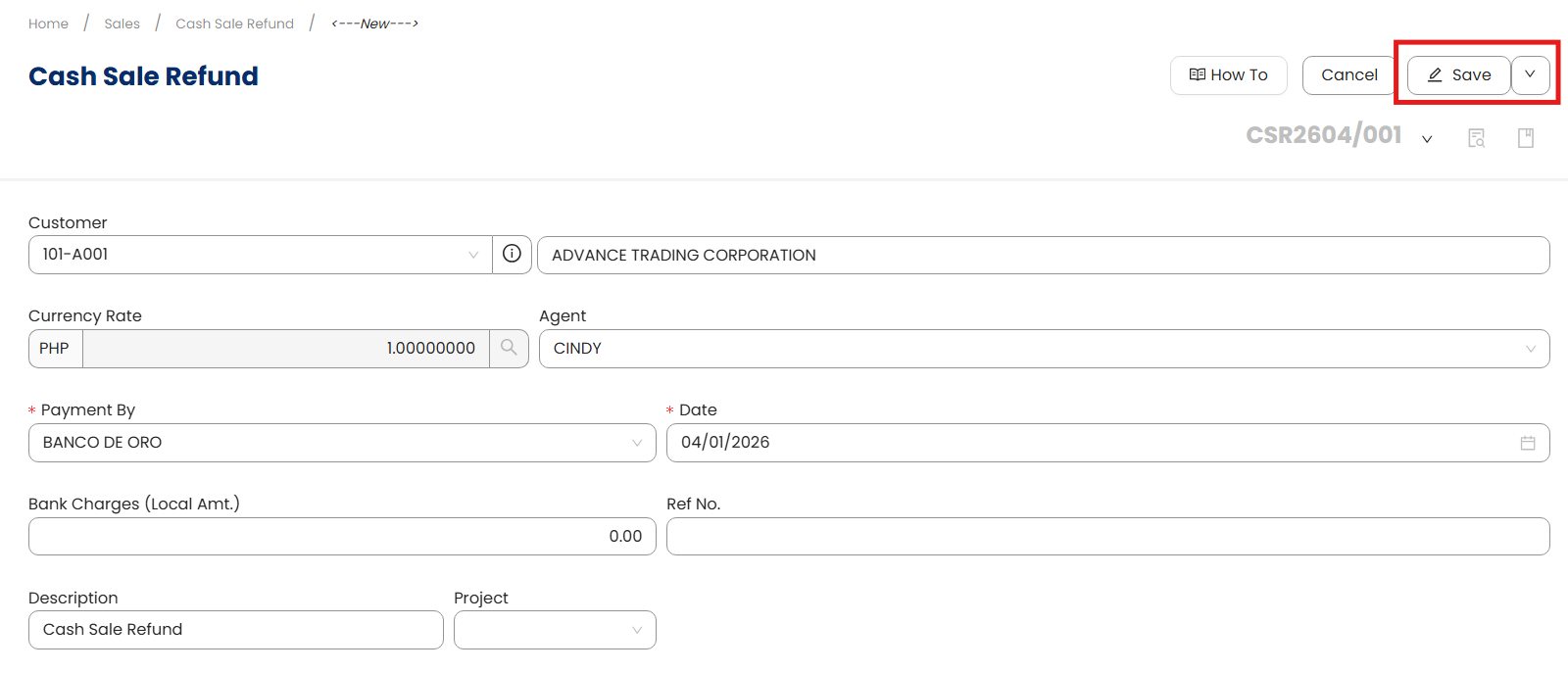
Once transferred, click ‘Save’.
Method 2: Transfer to Cash Sale Refund
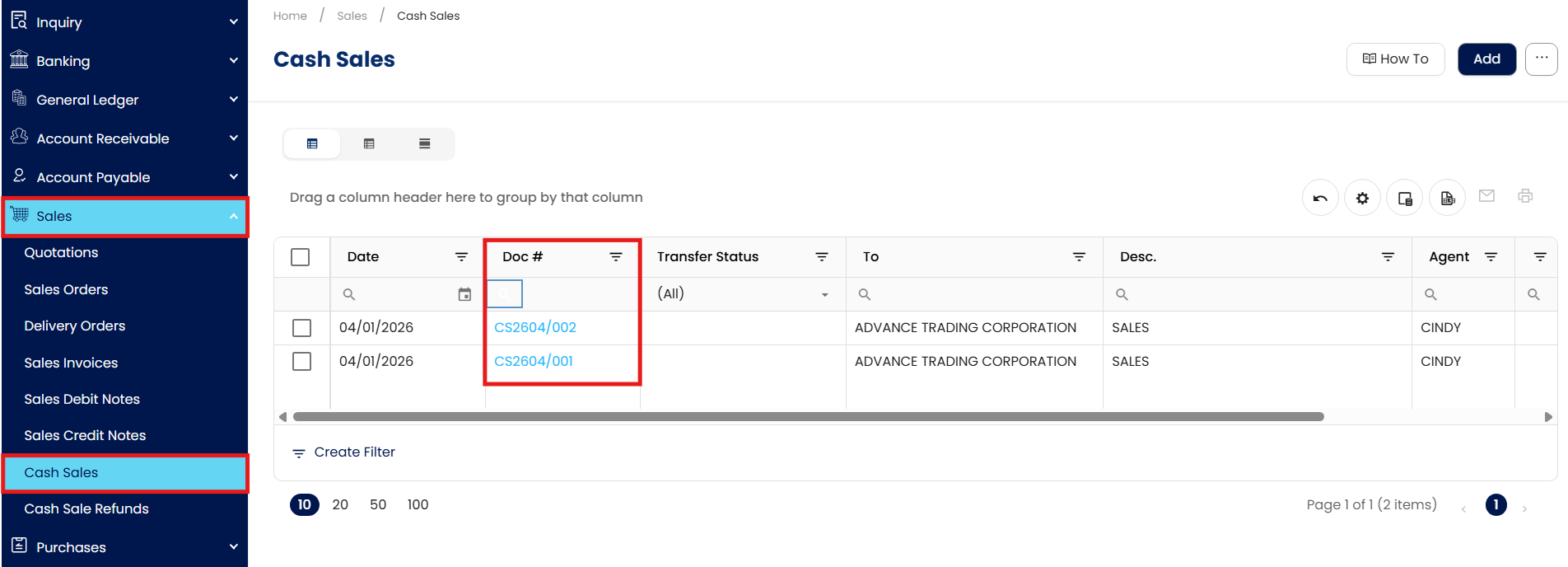
In the Navigation Pane, go to Sales > Cash Sales, then click the Doc # of the Cash Sale to be refunded.
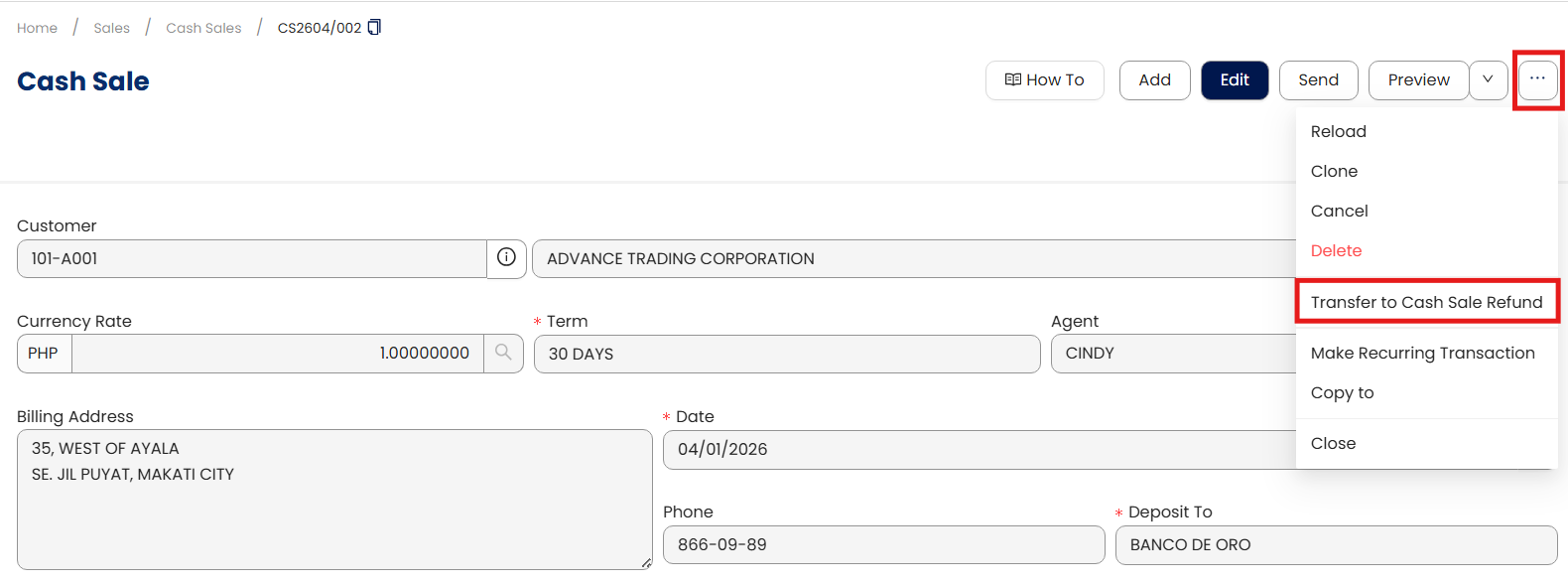
In Cash Sales form > Transfer to Cash Sale Refund
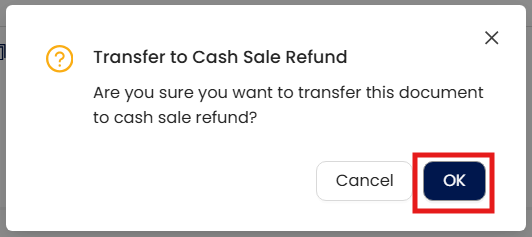
Confirmation will prompt. Click ‘OK’.
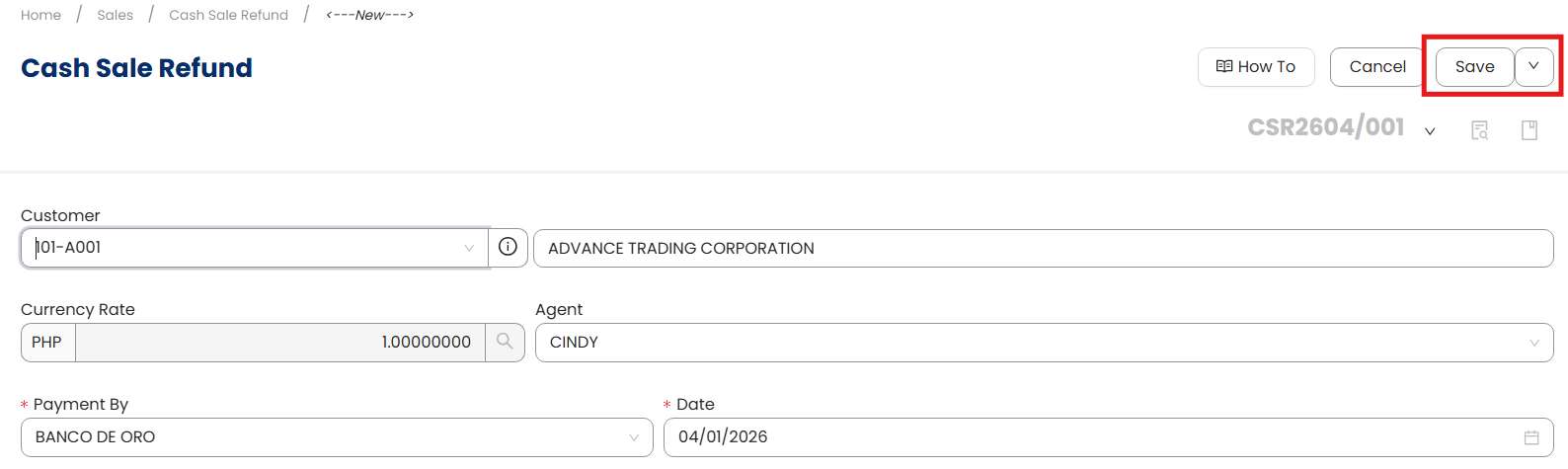
Once transferred and Cash Sale Refund is opened, click ‘Save’.
Procedure 2: Editing a Cash Sales Refund
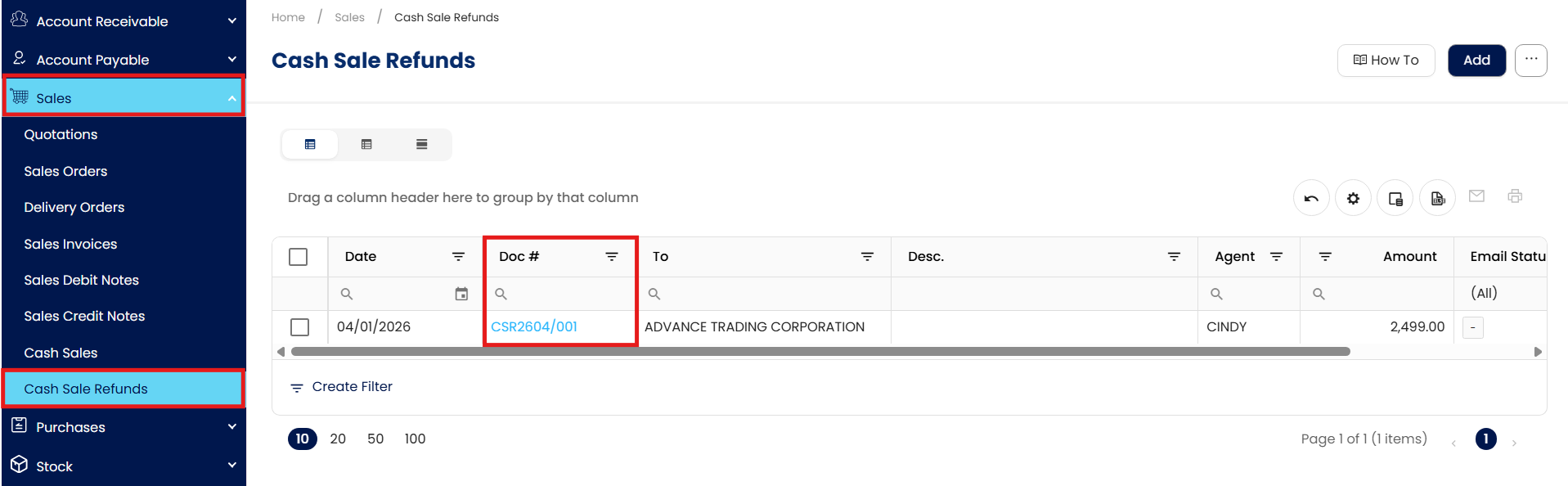
Go to Sales > Cash Sales Refund, then select the Doc # of the Cash Sales Refund Record that you want to update.
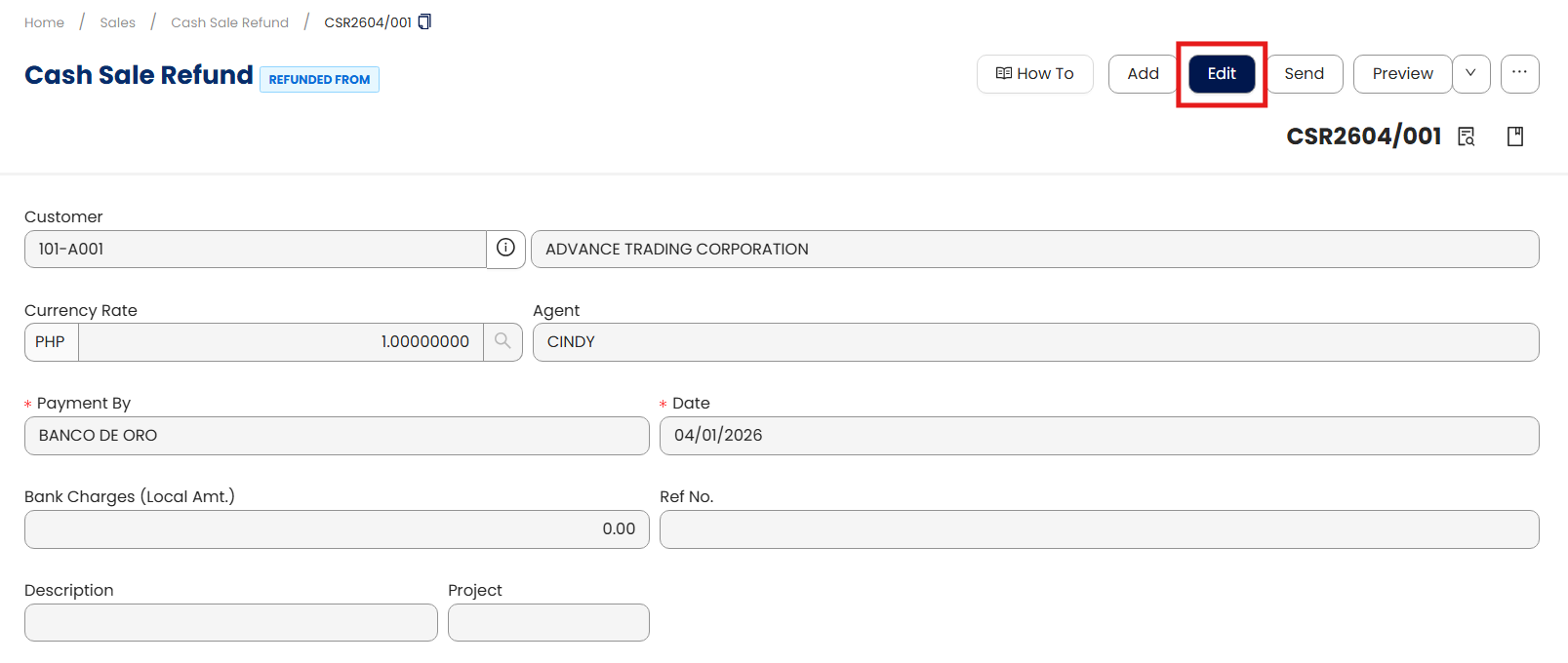
Click Edit and apply necessary changes.
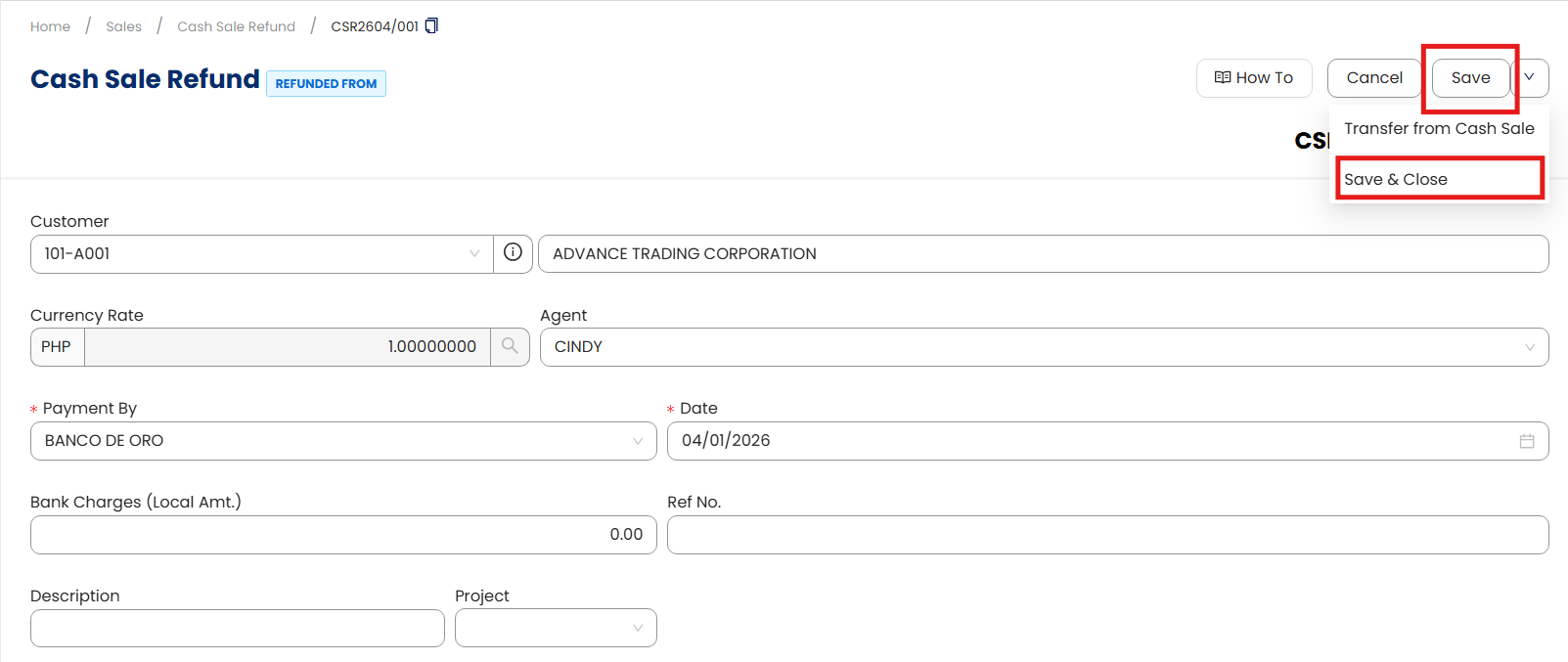
Once done, click Save or Save & Close to update the item.
Procedure 3: Deleting a Cash Sales Refund
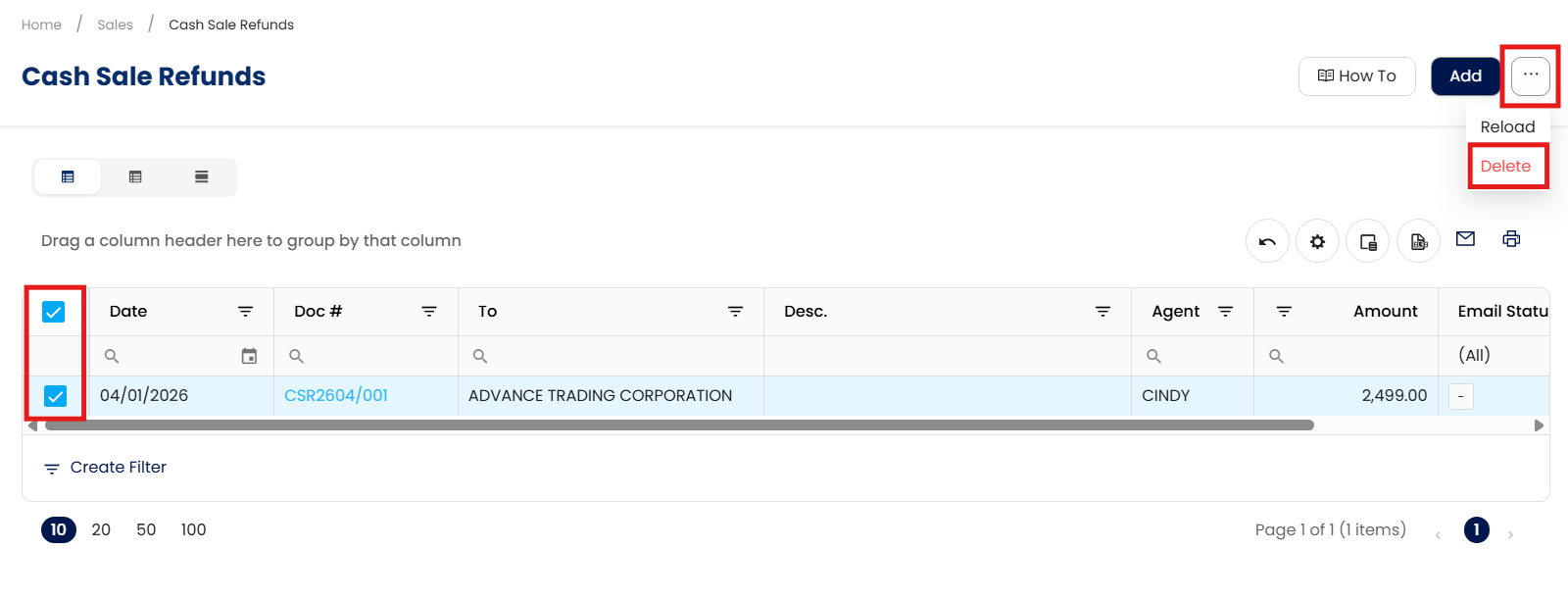
In the Cash Sales Refund List View, tick the checkbox beside the item you wish to delete. Hover your cursor over the three dots beside "Add," then click Delete.
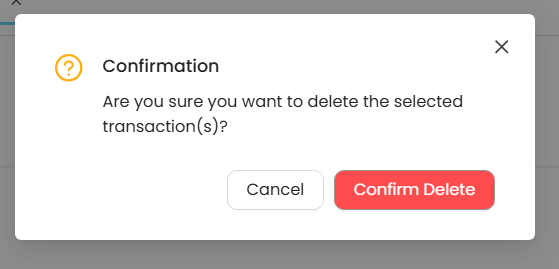
When the confirmation message appears, click Confirm Delete.
Application:
Cash Sale records will be reversed, as well as the Stock Inventory. The Cash Sale will not be tagged as ‘Refunded’.
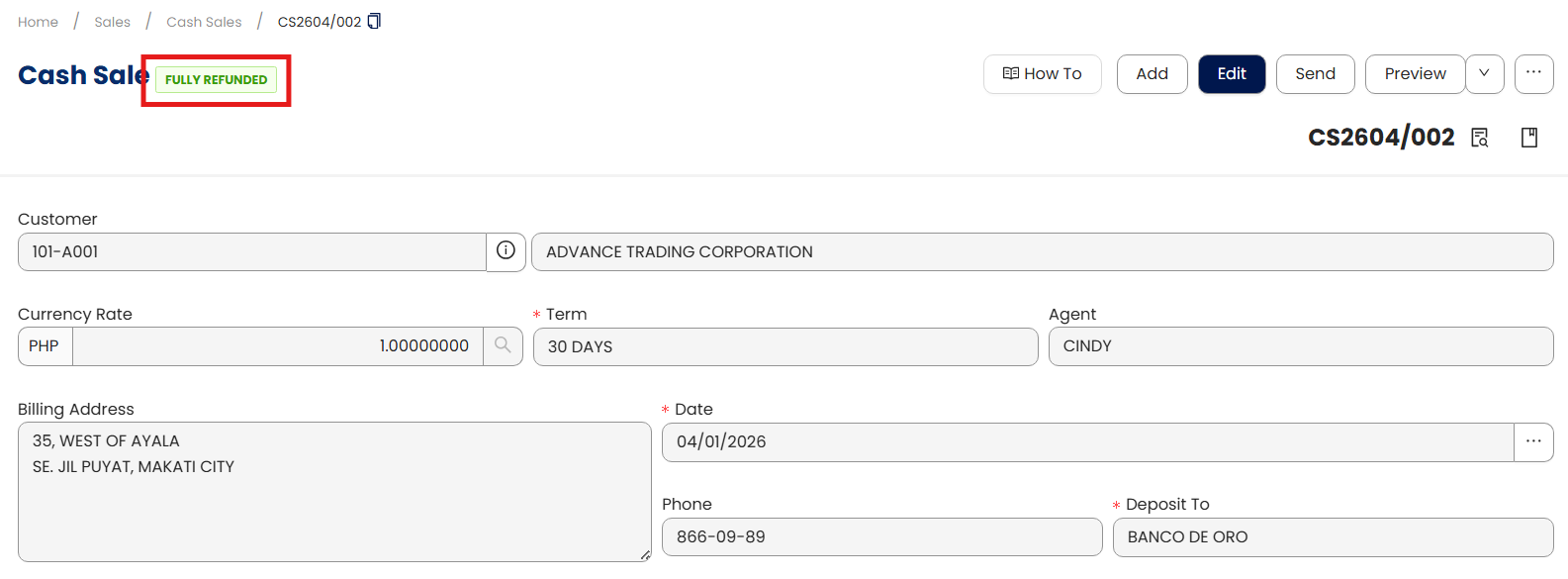
Note: The system also allows users to partially refund cash sales and to refund multiple cash sales transactions.
Important Note:
Editing and Deleting Transactions: According to regulatory guidelines, modifications or deletions of recorded transactions in the system may be strictly prohibited once Computerized Accounting System (CAS) approved. It's vital to adhere to your company's internal policy regarding these functionalities. It is generally advisable to disable or limit the ability to edit/delete to maintain compliance with regulations.
System Scope: QNE AI Cloud Accounting / N3 AI Accounting
Was this article helpful?
That’s Great!
Thank you for your feedback
Sorry! We couldn't be helpful
Thank you for your feedback
Feedback sent
We appreciate your effort and will try to fix the article