Overview:
A financial year is a period of twelve months, used by governments, businesses, and other organizations in order to calculate their budgets, profits, and losses. The financial year is often used in business to compare with the calendar year. In the system, the financial period corresponds to the financial year. This must be configured first by the user before entering transactions to define the basis of reports and opening balances.
Scenario:
Set up the financial period for the year 2021, and the Opening Balance as of December 2020.
Procedure:
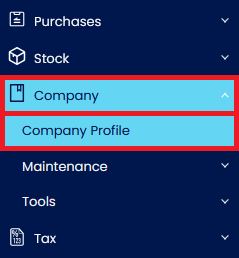
1. In the Navigation Pane, go to Company > Company Profile.
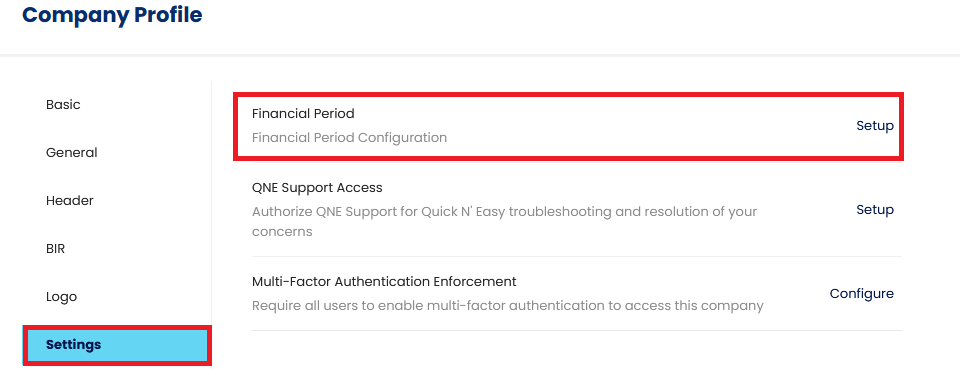
2. In Company Profile > Settings > Financial Period. Click Setup
3. Next, select a date for your accounting period.
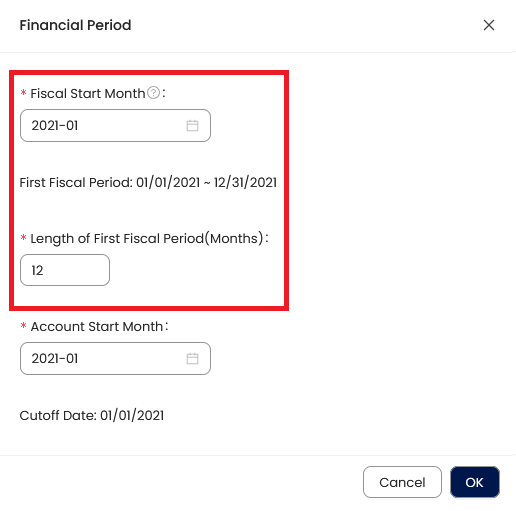
Fiscal Start Month = Start and 1st month of the Financial Year
Length of the First Fiscal Period = 12 months.
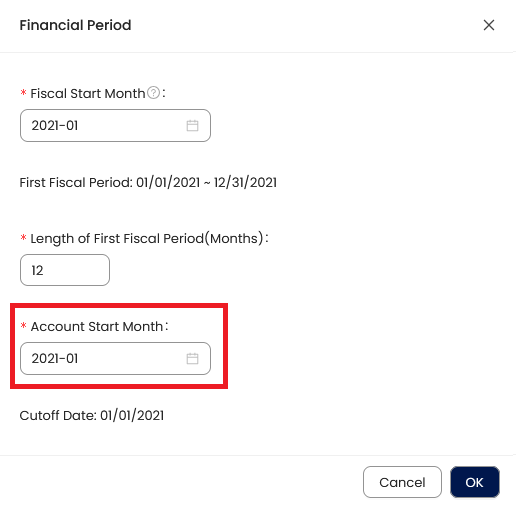
Account Start Month = Month & Year of 1st live transaction (usually same as the Fiscal Start year unless Fiscal Start Year is not in Calendar Year)
Cutoff Date: Basis of the Opening Balances or 1st Day of Live Transaction.
4. Once done, click OK.
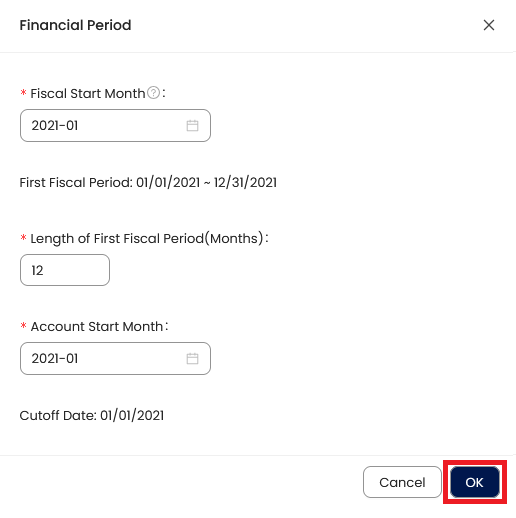
Note: Once the system already has a transaction, the financial period is no longer editable.
Application:
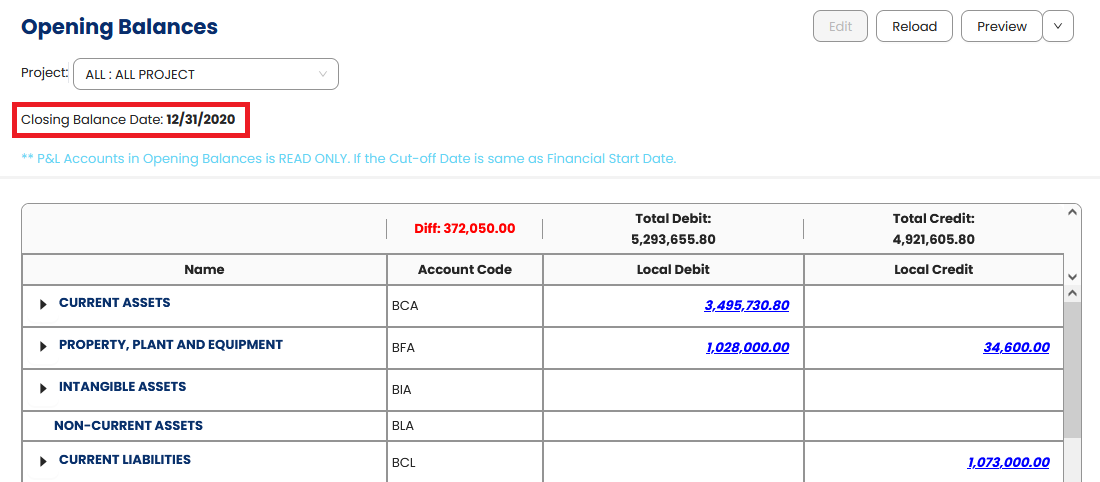
The Closing Balance Date is now set based on the Cutoff off Date in Financial Period
Important Note:
Editing and Deleting Transactions: According to regulatory guidelines, modifications or deletions of recorded transactions in the system may be strictly prohibited once Computerized Accounting System (CAS) approved. It's vital to adhere to your company's internal policy regarding these functionalities. It is generally advisable to disable or limit the ability to edit/delete to maintain compliance with regulations.
System Scope: QNE AI Cloud Accounting / N3 AI Accounting
Was this article helpful?
That’s Great!
Thank you for your feedback
Sorry! We couldn't be helpful
Thank you for your feedback
Feedback sent
We appreciate your effort and will try to fix the article