Overview:
The Payment Voucher – View permission under Report Permissions allows users to preview individual Payment Voucher printouts and access the Payment Voucher report through Batch Reports.
This article explains how an Administrator can enable this permission under a User Defined Role.
Scenario:
An organization wants to allow users assigned to a particular User Defined Role to preview individual Payment Voucher printouts and access the Payment Voucher report for batch preview.
To provide this access, the Administrator must enable the Payment Voucher View permission under Report Permissions in the assigned role.
Procedure:
Configuring Payment Voucher Permissions
From the navigation panel, go to Account > User Roles and select the User Defined Role assigned to the users who need Payment Voucher preview access (e.g., General Accounting Staff).
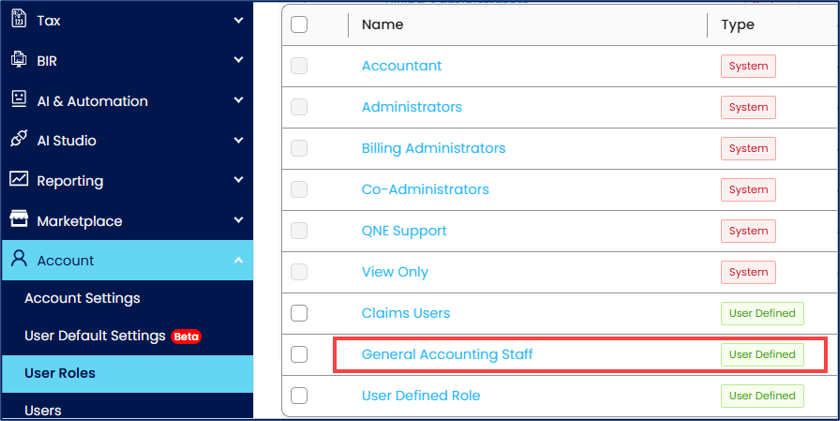
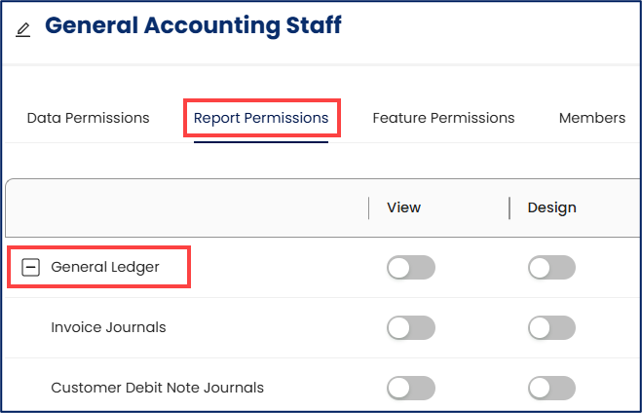
Under the role settings, select the Report Permissions tab and expand the General Ledger section.
Locate Payment Voucher and enable its View permission toggle switch.
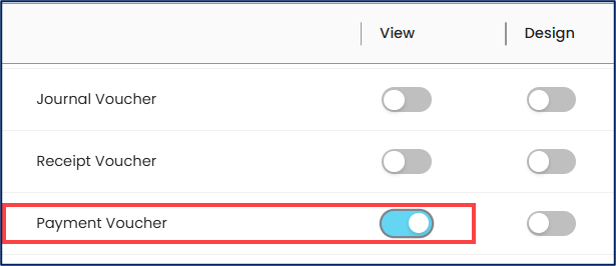
Click Save to apply the changes.

Verifying Individual Payment Voucher Preview Access
From the navigation panel, go to General Ledgers > Payment Vouchers.
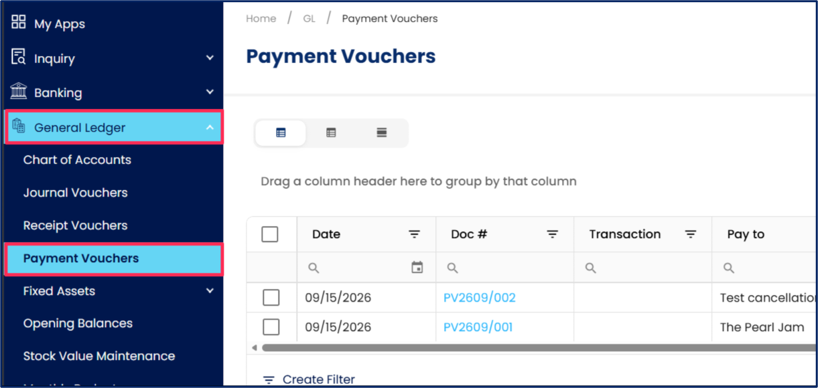
Open an individual Payment Voucher and verify that the Preview button is enabled.
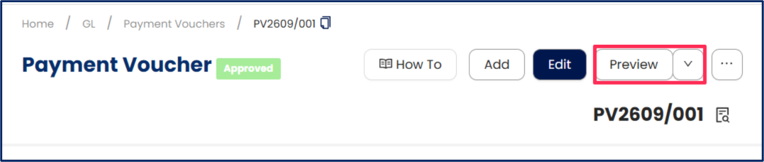
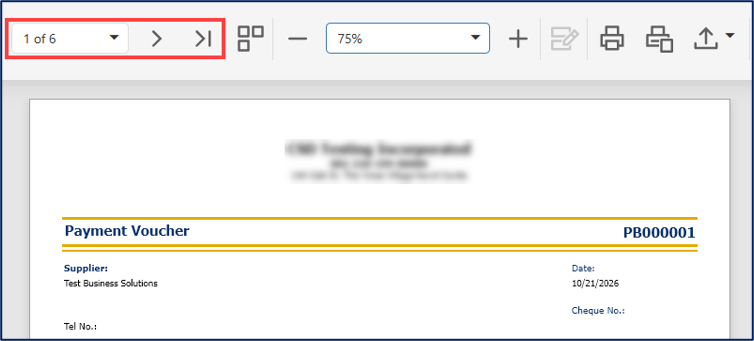
Click Preview and verify that the Payment Voucher Printout is displayed.
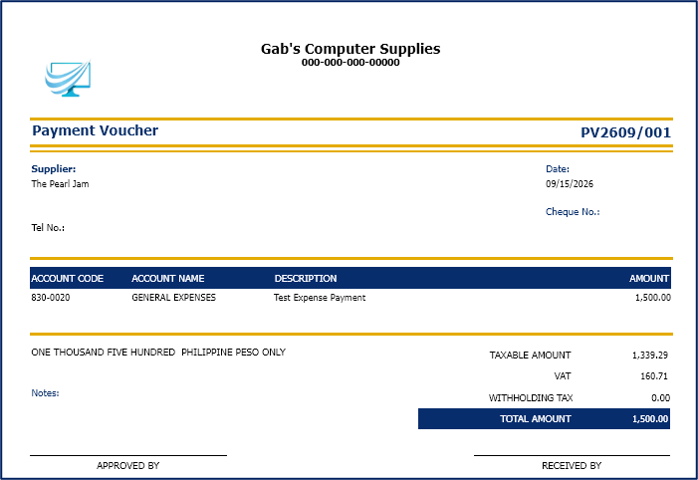
Verifying Batch Payment Voucher Preview Access
From the navigation panel, go to Reporting > Report Center > Supplier > Batch Reports and select Payment Voucher.
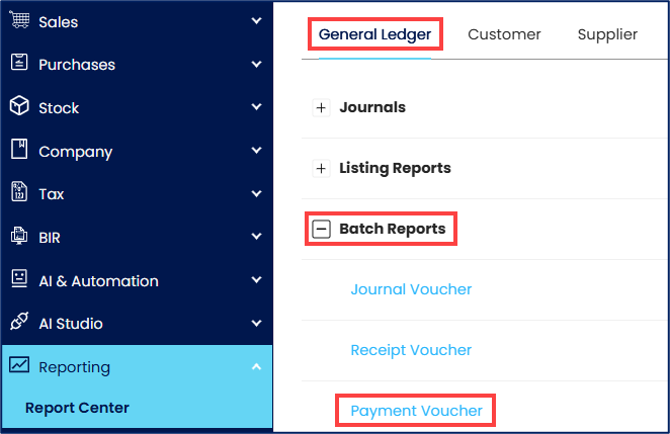
On the report page, select the desired report format and specify the necessary report parameters, then click Preview to generate the report.
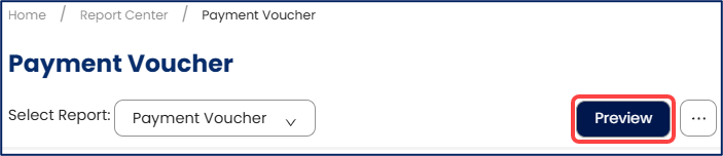
Verify that the generated Payment Voucher(s) is displayed.
Application:
Individual Payment Voucher Preview – Allows users to preview individual Payment Voucher printouts before printing or distributing them.
Batch Payment Voucher Preview – Allows users to generate and preview Payment Voucher reports containing multiple vouchers through Batch Reports.
Role-Based Access Control – Enables Administrators to grant Payment Voucher preview access according to users' assigned responsibilities.
System Scope: QNE AI Cloud Accounting / N3 AI Accounting
Was this article helpful?
That’s Great!
Thank you for your feedback
Sorry! We couldn't be helpful
Thank you for your feedback
Feedback sent
We appreciate your effort and will try to fix the article