Overview:
Bank reconciliation is the process of comparing the transactions recorded in the accounting system against the transactions reflected in the bank statement for the same period. The objective is to identify and explain differences between the book balance and the bank balance.
This process is commonly performed by accountants, finance staff, and bookkeepers during month-end or periodic financial reviews.
Bank reconciliation helps organizations:
Verify the accuracy of cash transactions
Identify missing or duplicate entries
Detect timing differences between accounting records and bank records
Maintain reliable cash balances for financial reporting
Maintain supporting records for audit and review purposes
Scenario:
A company receives its monthly bank statement and needs to confirm that all cash receipts, payments, and bank-related transactions have been accurately recorded in the accounting system. The accounting staff performs a bank reconciliation to compare accounting records against the bank statement and identify any unmatched or pending transactions before completing the month-end closing process.
Procedure:
In the navigation pane, go to Banking > Bank Reconciliation.
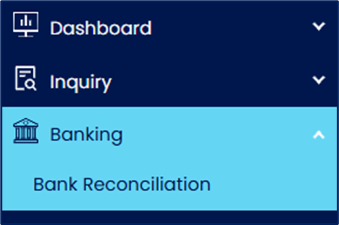
Click Add to create a new bank reconciliation entry.

Select the applicable bank account, enter the statement date and statement balance, and click Inquiry to retrieve the unreconciled transactions recorded in the accounting system.
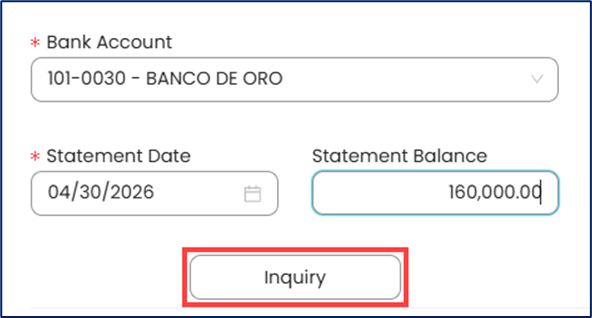
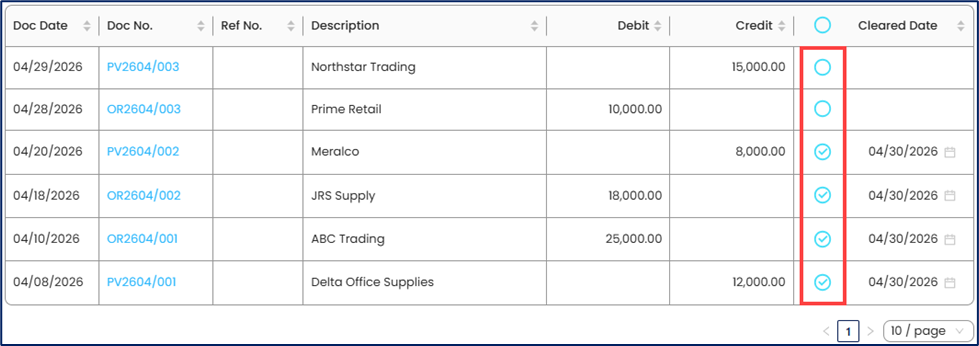
Review the list of unreconciled transactions before matching them against the bank statement.
Match (tick) the accounting transactions with the corresponding transactions reflected in the bank statement, such as customer deposits, supplier payments, checks issued, bank transfers, etc.
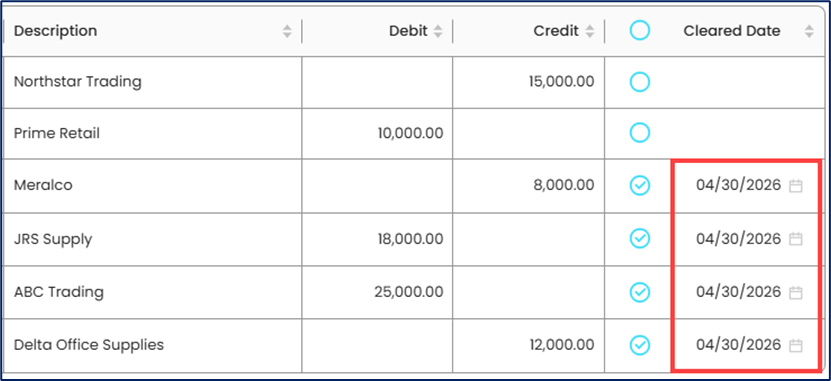
Update the Cleared Date to indicate when the transaction was confirmed as cleared against the bank statement.
Record transactions reflected in the bank statement but not yet recorded in the accounting system, such as bank service charges, interest income, direct bank deposits, or other bank-related transactions.
Review and verify the reconciliation balances, including:
Statement Balance - Balance reflected in the bank statement or passbook
Cleared Balance - Total amount of cleared transactions
Account Balance - Current bank book balance recorded in the accounting system
Uncredited Funds - Deposits recorded in the accounting system but not yet credited by the bank
Unpresented Funds - Payments recorded in the accounting system but not yet deducted by the bank
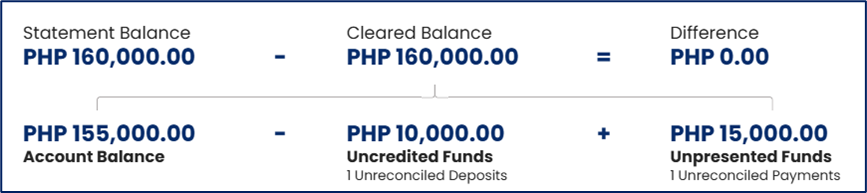
Verify that the reconciliation difference is zero or that all remaining differences are properly explained. Some transactions may legitimately remain unreconciled due to timing differences, such as outstanding checks or deposits in transit.
Click Save to save the reconciliation entry after verifying the balances and reconciliation details.

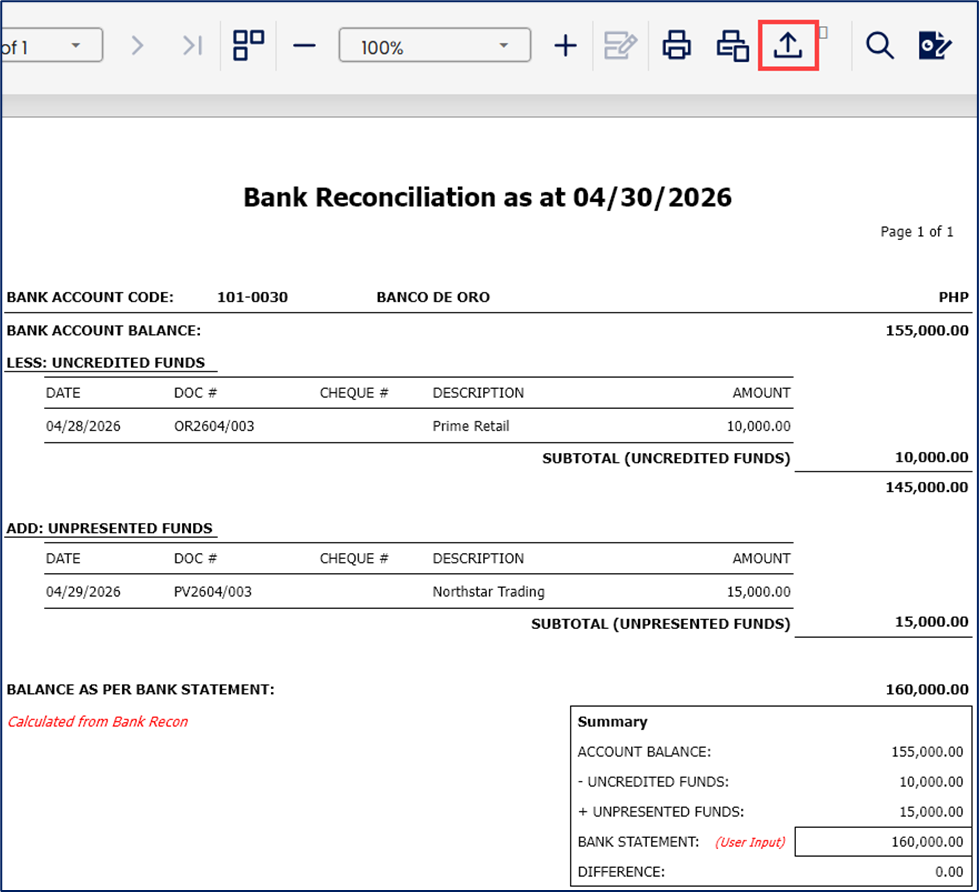
Click Preview to generate and review the reconciliation report for documentation purposes.

To export the reconciliation report, click Export and select the preferred file format.
Application (General Use Cases):
Bank reconciliation may be used to:
Verify accurate cash balances
Detect missing or duplicate cash transactions
Identify bank-related charges or adjustments
Support month-end and year-end reconciliation reviews
Improve the reliability of financial reporting
Maintain supporting records for audit and review purposes
System Scope: QNE AI Cloud Accounting / N3 AI Accounting
Was this article helpful?
That’s Great!
Thank you for your feedback
Sorry! We couldn't be helpful
Thank you for your feedback
Feedback sent
We appreciate your effort and will try to fix the article