Overview:
The BIR CAS/CBA Registered toggle is a compliance-related setting available on the Company Profile page for Philippine companies. It allows users to indicate whether their business is registered under the BIR Computerized Accounting System (CAS) or BIR Computerized Books of Accounts (CBA).
Toggle OFF (default): CAS/CBA-related fields remain disabled, and restrictions are not applied.
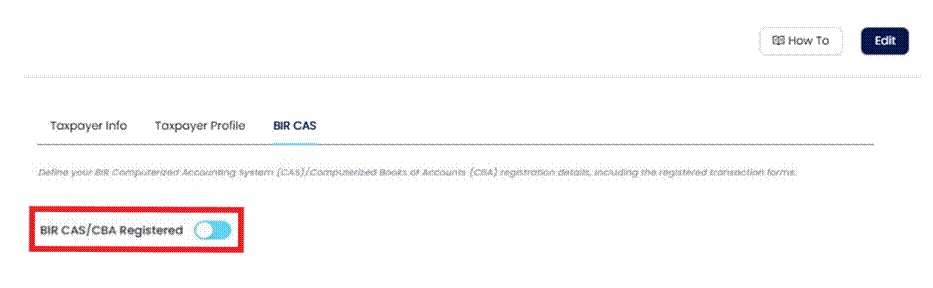
Toggle ON: After securing the approved BIR Acknowledgement Certificate (AC), users can enter the CAS Permit Control Number and Date Issued. The system then enforces CAS/CBA-related restrictions by preventing modification or deletion of transactions dated from the Date Issued onward.
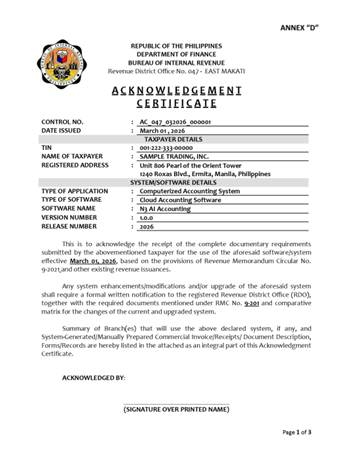
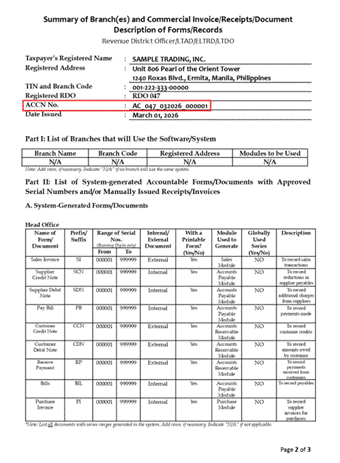
Correctly enabling the toggle helps support accurate CAS/CBA recordkeeping and ensures that transactions comply with CAS/CBA rules from the effective date. For guidance, a sample Acknowledgement Certificate is provided as a reference to help you accurately complete the setup.
Scenario:
Your company has received an approved Acknowledgement Certificate from the BIR. To ensure that CAS/CBA-related transactions are recorded correctly from the Date Issued onward, you need to configure your BIR CAS/CBA details in N3 AI Accounting. This prevents modification or deletion of CAS/CBA-related transactions and enables internal teams to monitor approved CAS and CBA accounts.
Procedure:
Log in to N3 AI Accounting.
Navigate to Company module > Company Profile > BIR section > BIR CAS tab.
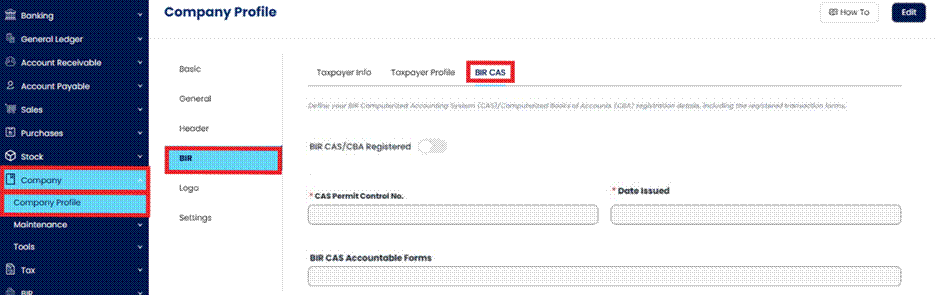
Click Edit to enable changes to BIR CAS/CBA information.
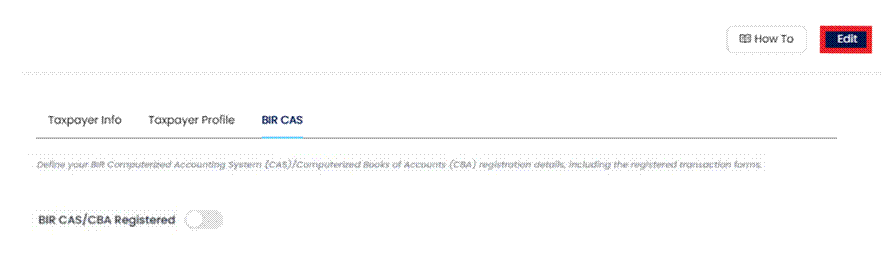
3.1. Enable BIR/CAS CBA Registered.
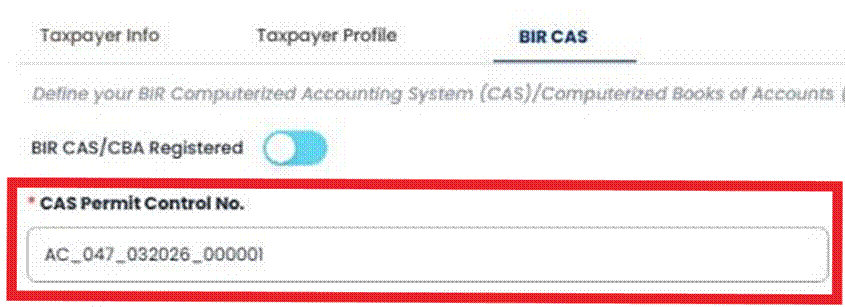
Enter the CAS Permit Control No. (AC#). Corresponds to “ACCN No.” on your approved Acknowledgement Certificate.
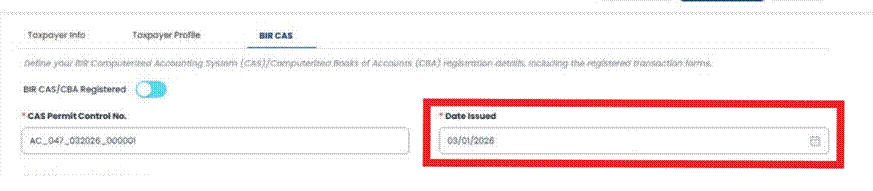
Select the Date Issued from your approved Acknowledgement Certificate.
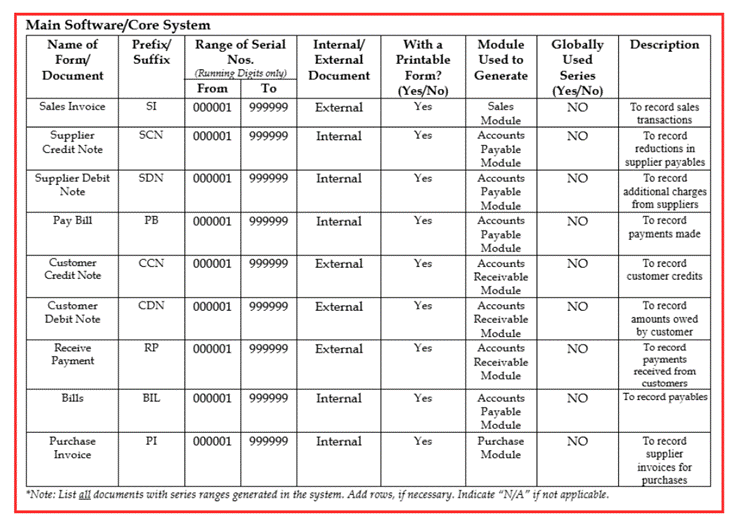
Choose only those listed in Part II: List of System-generated Accountable Forms of your AC.

Refer to the corresponding forms indicated in your Annex C-1.
Click Save Changes.
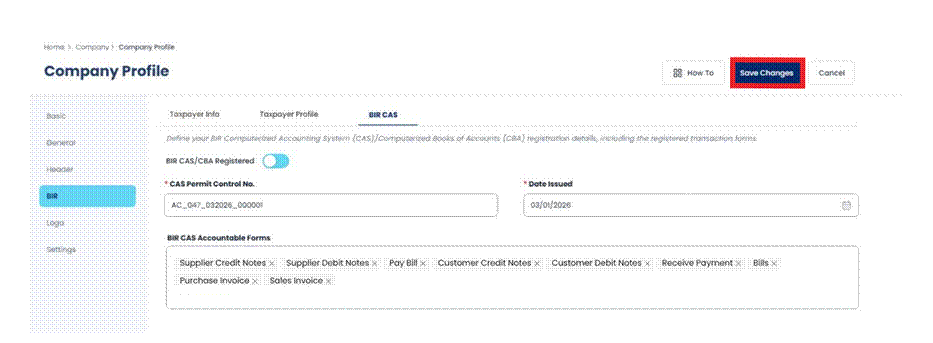
Note: This information is synced with QNE’s Subscription Management System, allowing internal teams to identify CAS/CBA-approved accounts and monitor CAS/CBA-related requirements.
Application / Use Cases
Prevents deletion or modification of CAS/CBA-related transactions after the Date Issued.
Enables internal teams to track and monitor CAS and CBA compliance for approved accounts.
Supports accurate reporting of accountable forms in N3 AI Accounting.
Helps verify which forms are active as declared in the Acknowledgement Certificate.
Provides a reference for future audits or reconciliations involving CAS and CBA transactions
System Scope: QNE AI Cloud Accounting / N3 AI Accounting
Was this article helpful?
That’s Great!
Thank you for your feedback
Sorry! We couldn't be helpful
Thank you for your feedback
Feedback sent
We appreciate your effort and will try to fix the article