Overview:
The BIR Relief Importation feature enables users to generate DAT, CSV, and Summary List of Importation (SLI) files required for BIR VAT RELIEF reporting in N3 AI Accounting.
This feature helps VAT-registered businesses automatically compile importation transaction data into BIR-compliant file formats, reducing manual preparation and ensuring accurate and efficient VAT RELIEF submission and reporting.
Scenario:
An accounting staff is preparing the company’s VAT RELIEF submission and needs to generate the Summary List of Importations (SLI) for BIR compliance.
Since all importation transactions are already recorded in the system, the staff generates the DAT, CSV, and Summary List of Importation files to review the data and prepare the required BIR RELIEF submission without manually compiling importation details.
Procedure:
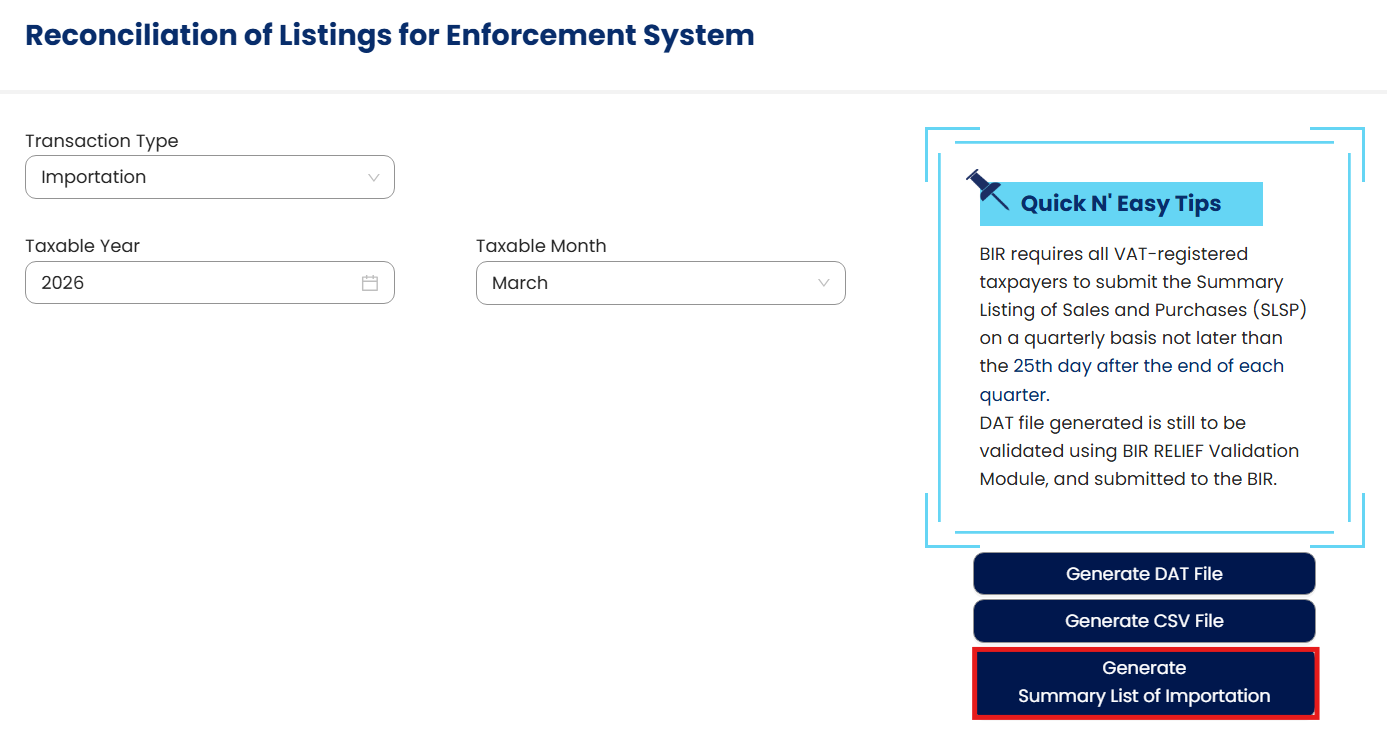
Navigate to BIR > VAT Relief > Select Importation as the Transaction Type > Select the Taxable Year and Taxable Month
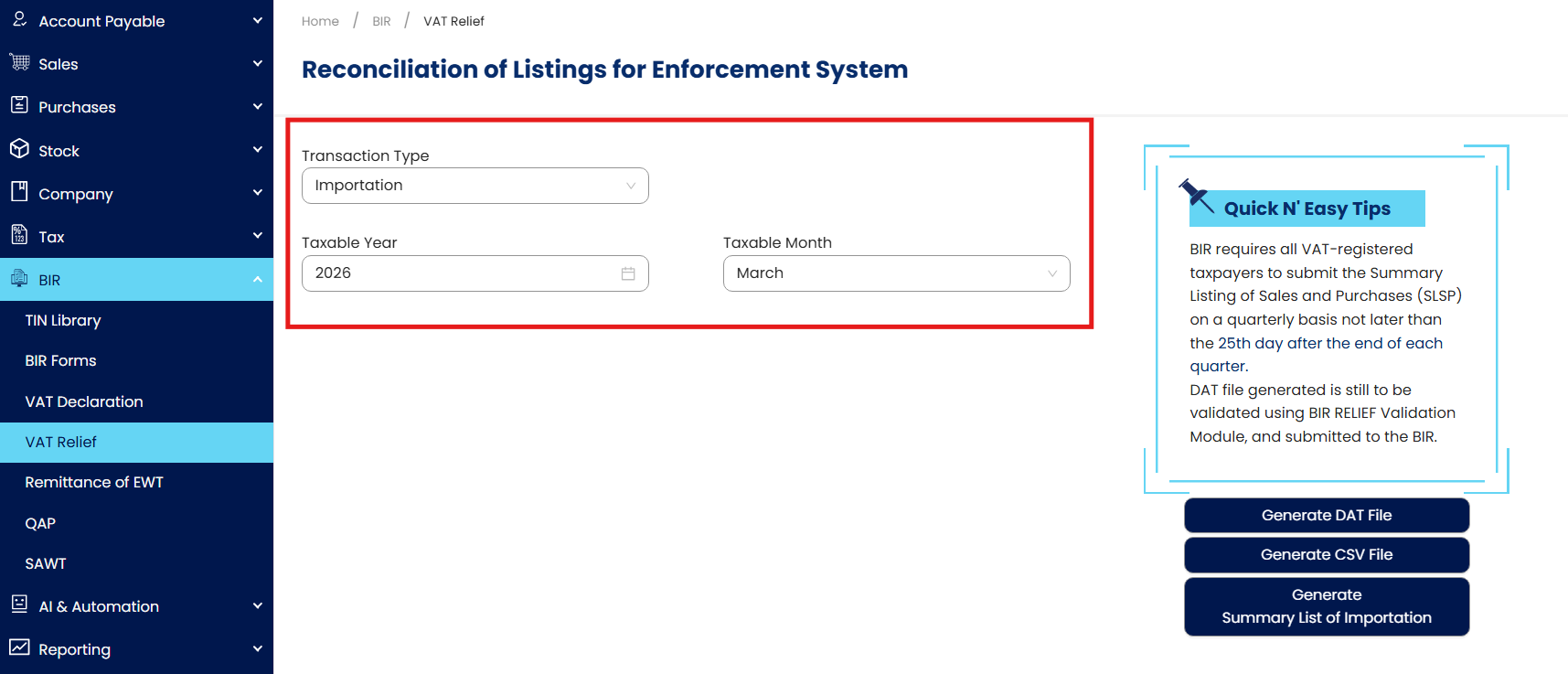
Generate files for BIR submission.
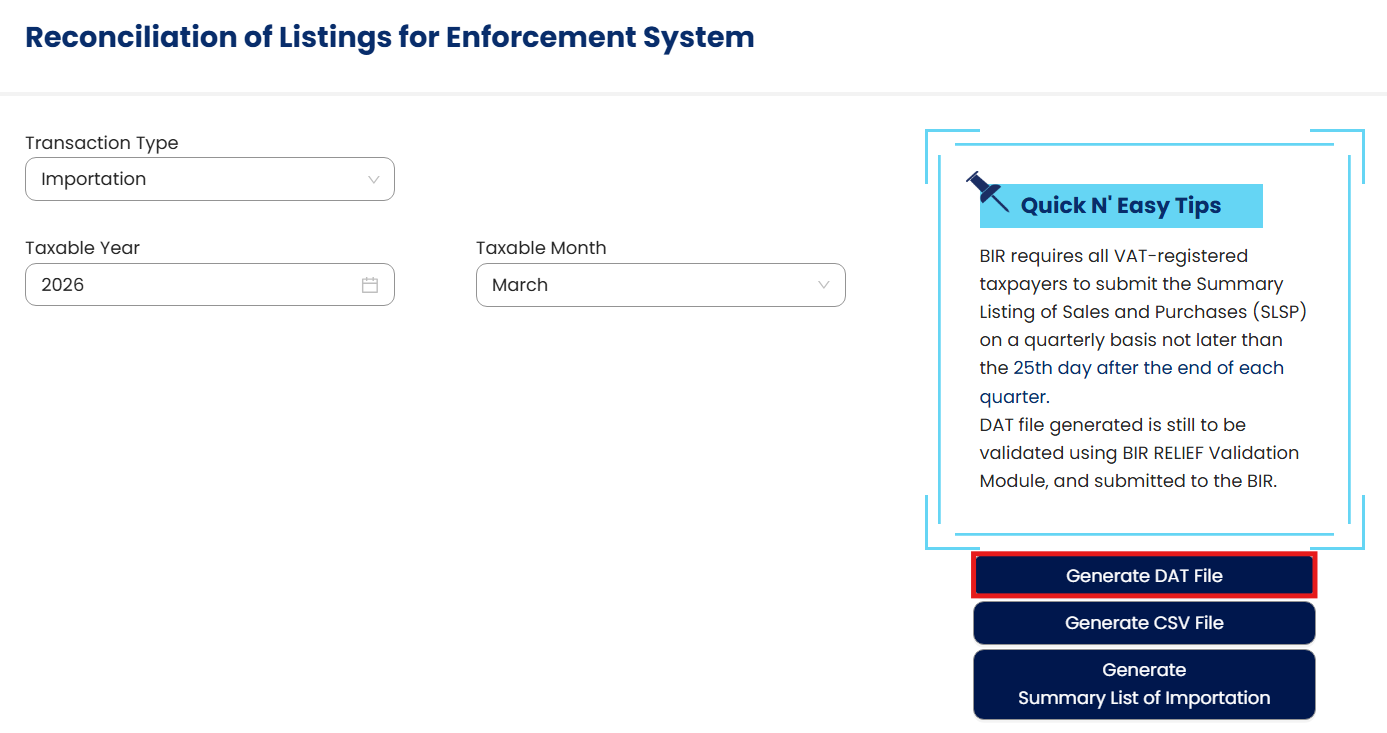
Generate DAT File
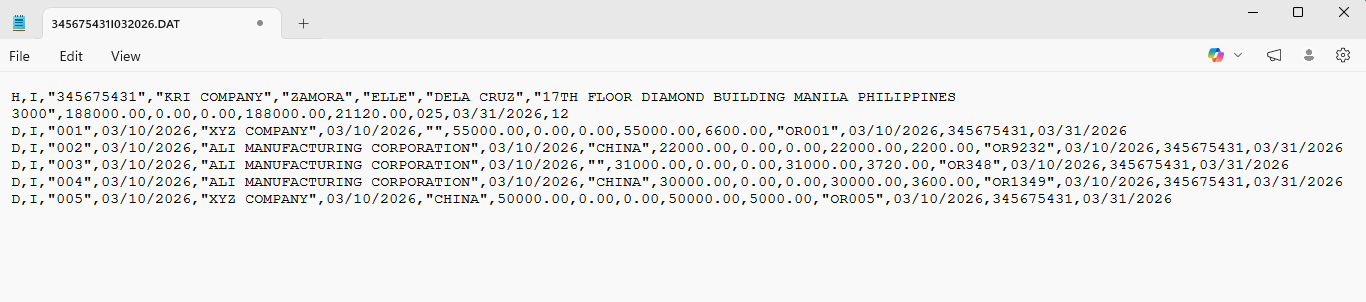
DAT File
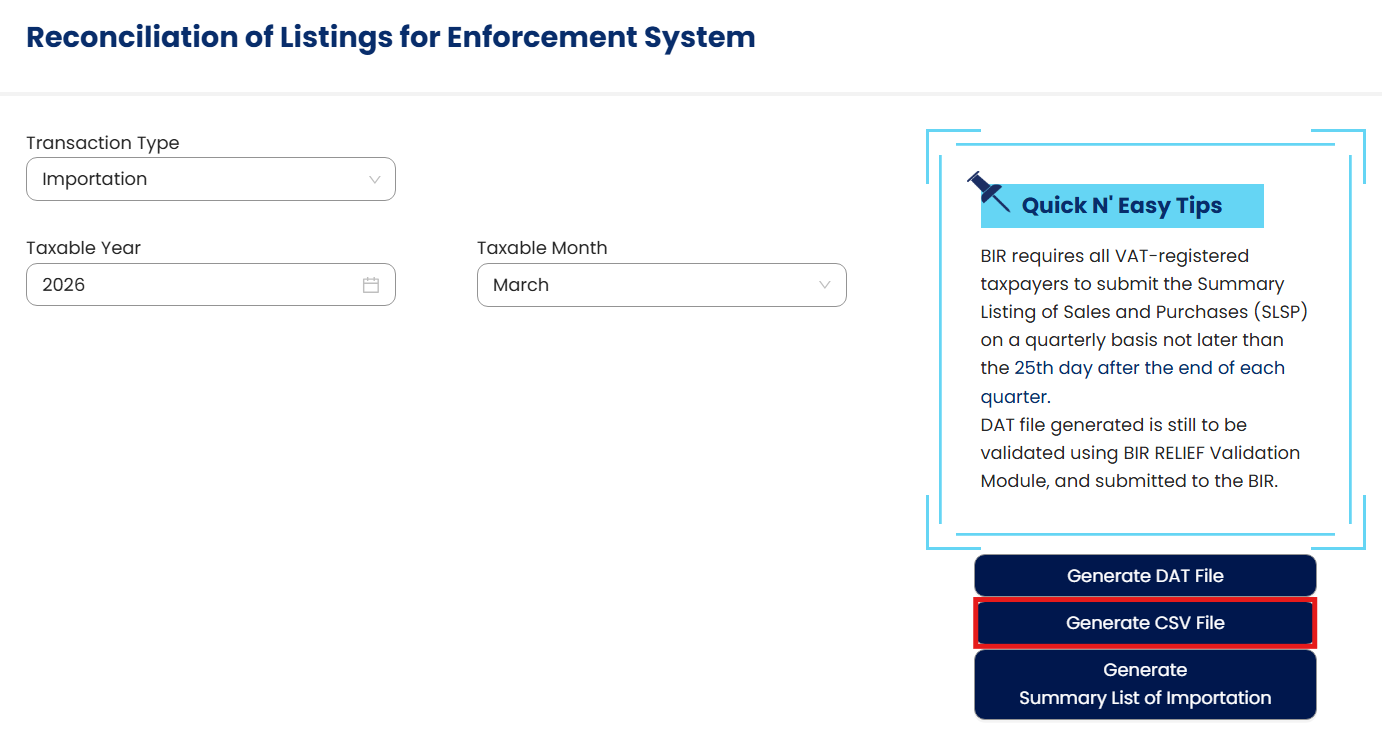
Generate CSV File
CSV File

Generate a Summary List of Importation
Excel File
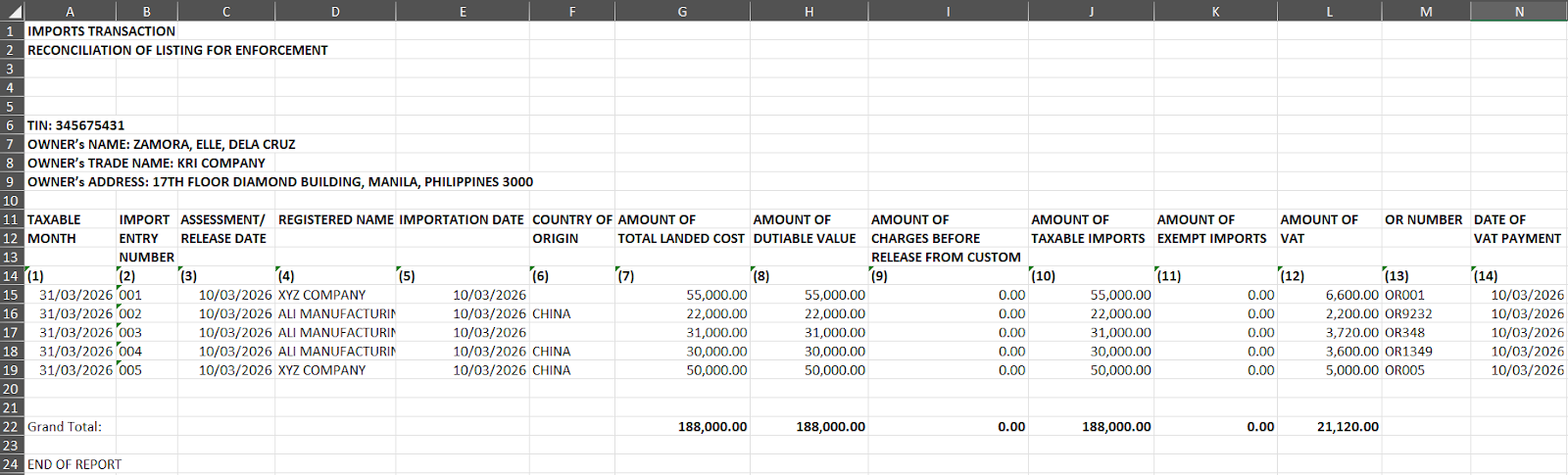
Application:
BIR VAT RELIEF Compliance – Generate a summary list of Importations required for BIR reporting and submission.
Automated Importation Reporting – Convert recorded importation transactions into BIR-compliant file formats.
Accurate VAT Data Preparation – Ensure importation details are complete and properly structured.
Efficient Reporting Process – Reduce manual encoding and preparation time for accounting staff.
Audit and Validation Support – Provide structured importation data for review and reconciliation.
System Scope: QNE AI Cloud Accounting / N3 AI Accounting
Was this article helpful?
That’s Great!
Thank you for your feedback
Sorry! We couldn't be helpful
Thank you for your feedback
Feedback sent
We appreciate your effort and will try to fix the article