Overview:
Supplier categories in N3 AI Accounting help you organize your suppliers into specific groups—such as Manufacturers, Distributors, Dealers, or Service Providers—for better management and reporting. Categorizing suppliers allows you to segment your vendor base, streamline procurement processes, and generate targeted reports, ultimately improving efficiency and decision-making.
Scenario:
Your business works with different types of suppliers, including manufacturers, distributors, and dealers. To better monitor purchases, manage payables, and apply differentiated strategies, you want to create and assign supplier categories in QNE Cloud Accounting. This will help you quickly group and manage suppliers based on their categories, making reporting and analysis more efficient.
Procedure:
How to Create Supplier Category
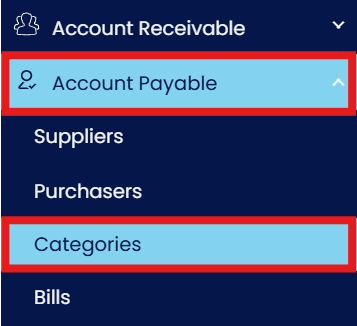
In the Navigation pane, go to Accounts Payable > Categories.
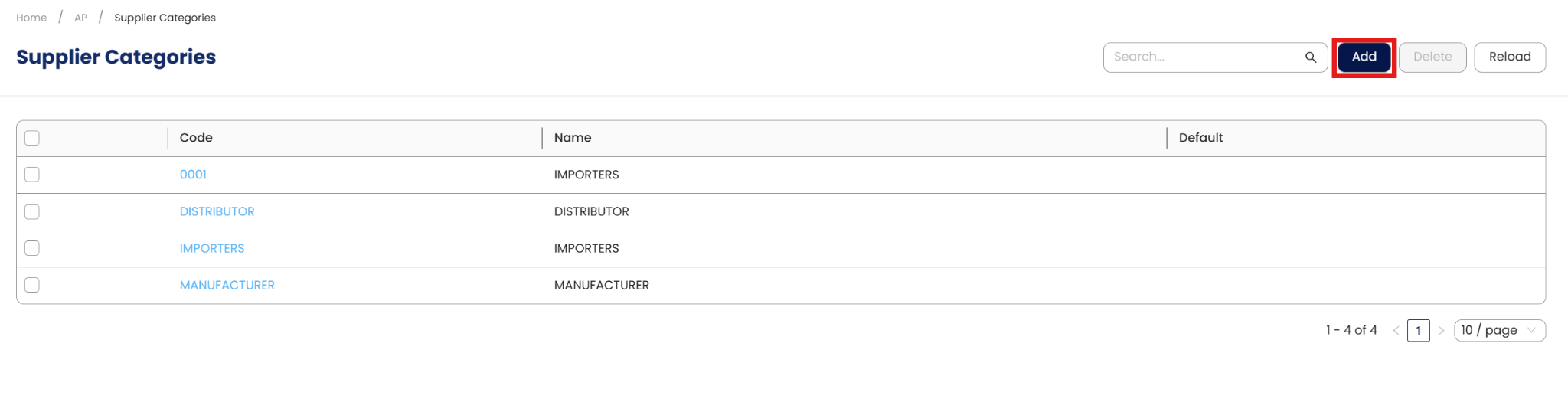
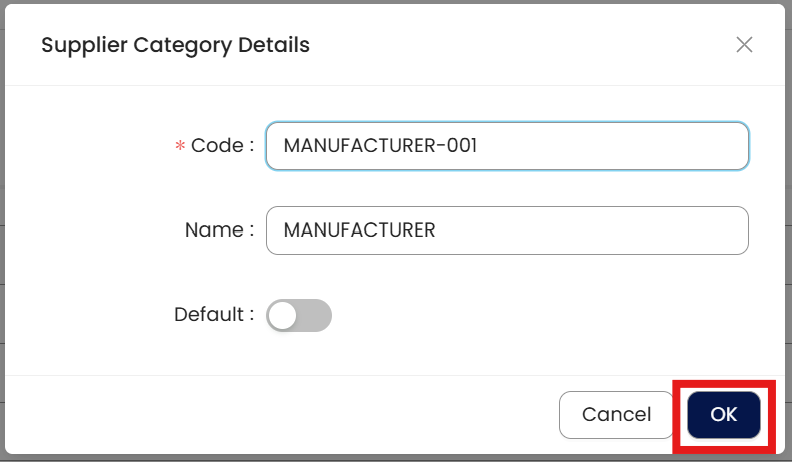
In Supplier Category, click Add.
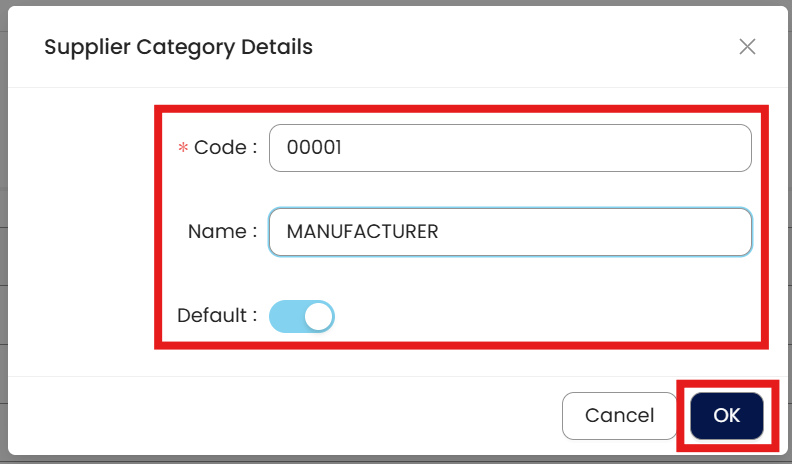
Fill in the required fields:
Supplier Category Code: Compulsory field with a maximum of 20 alphanumeric characters.
Name: Compulsory field indicating the name of the Supplier Category.
Default: Set this category as the default for newly created suppliers. Every supplier created will automatically be assigned to this default category unless changed.
Once done, click Ok.
How to Edit Supplier Category
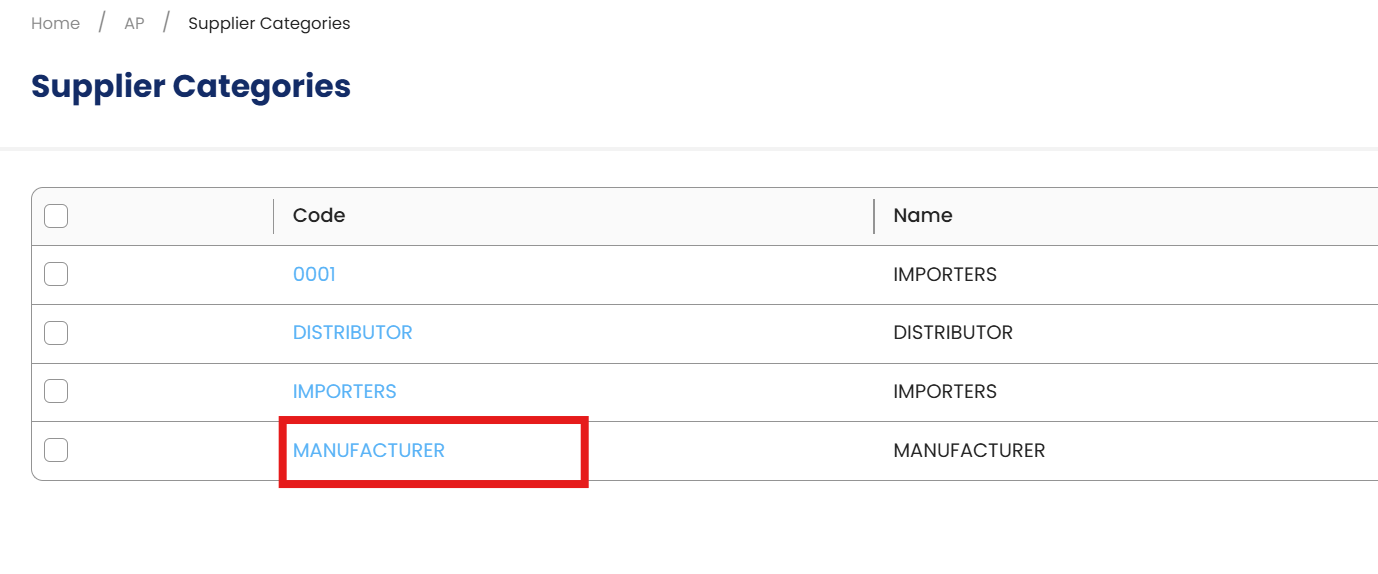
In the Supplier Category List View, click the Code of the category you want to edit.
Apply the necessary changes and click Ok.
How to Delete Supplier Category
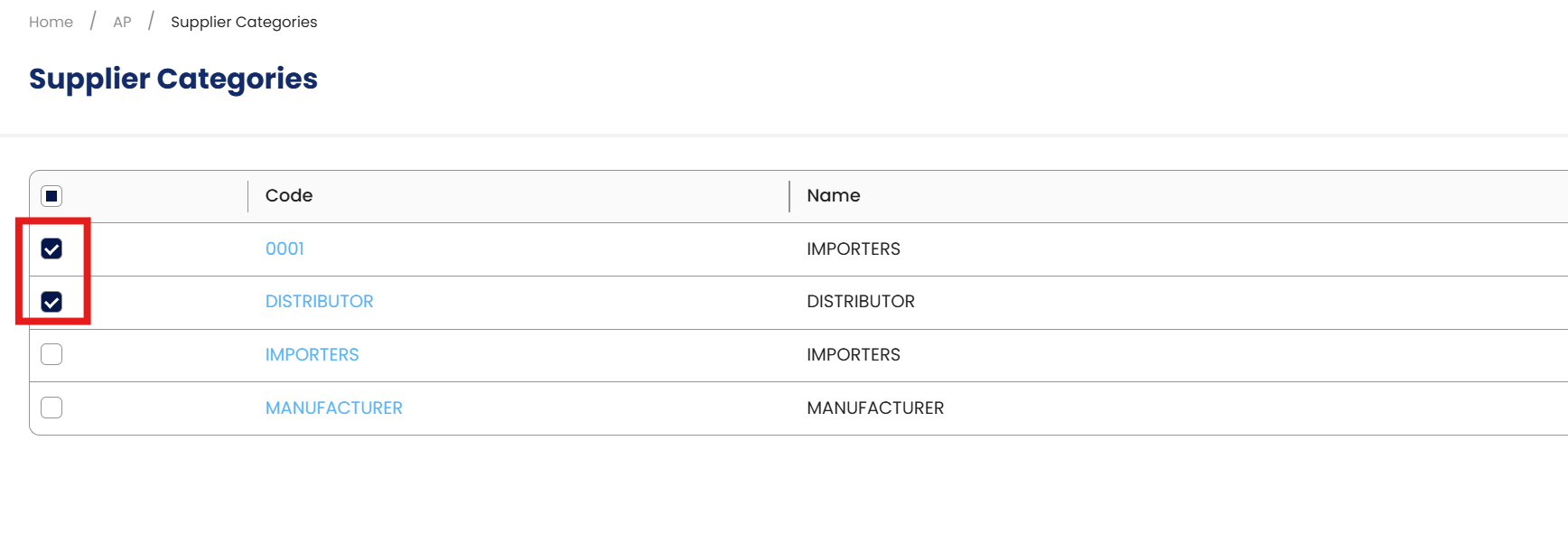
In the Supplier Category List View, use the checkbox column to select one or multiple categories you want to remove.
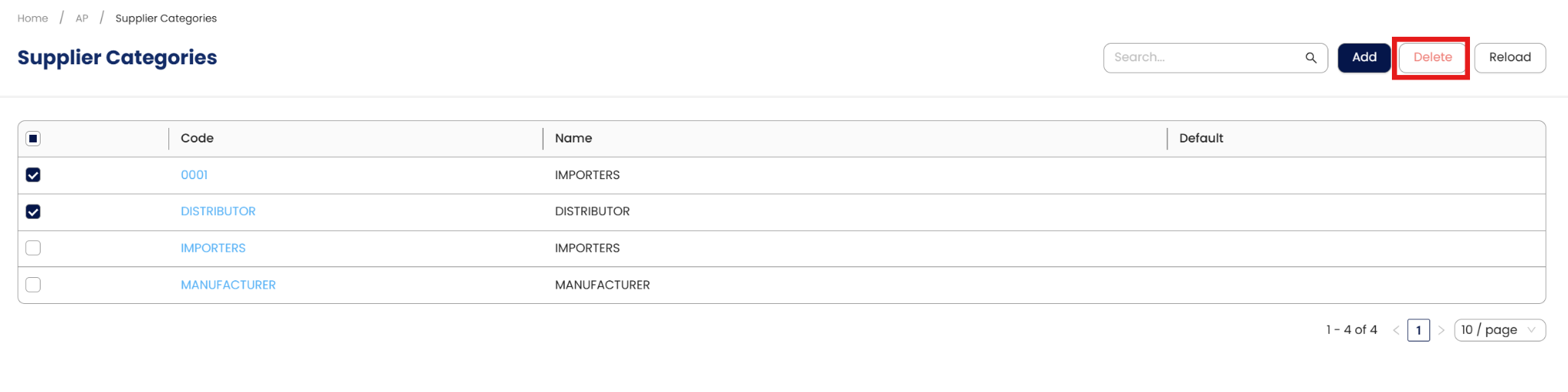
Click Delete.
A prompt will appear if any of the selected categories are currently assigned to a supplier. In this case, deletion is not allowed.
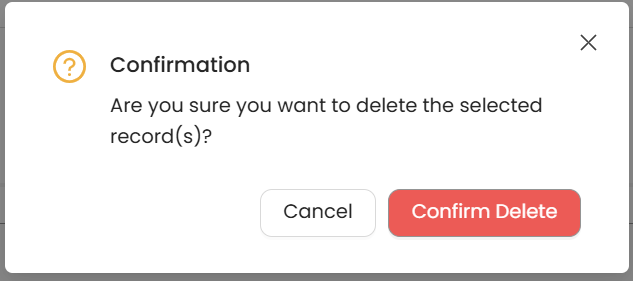
If no suppliers are assigned to the selected categories, click Confirm Delete when the confirmation message appears.
Application:
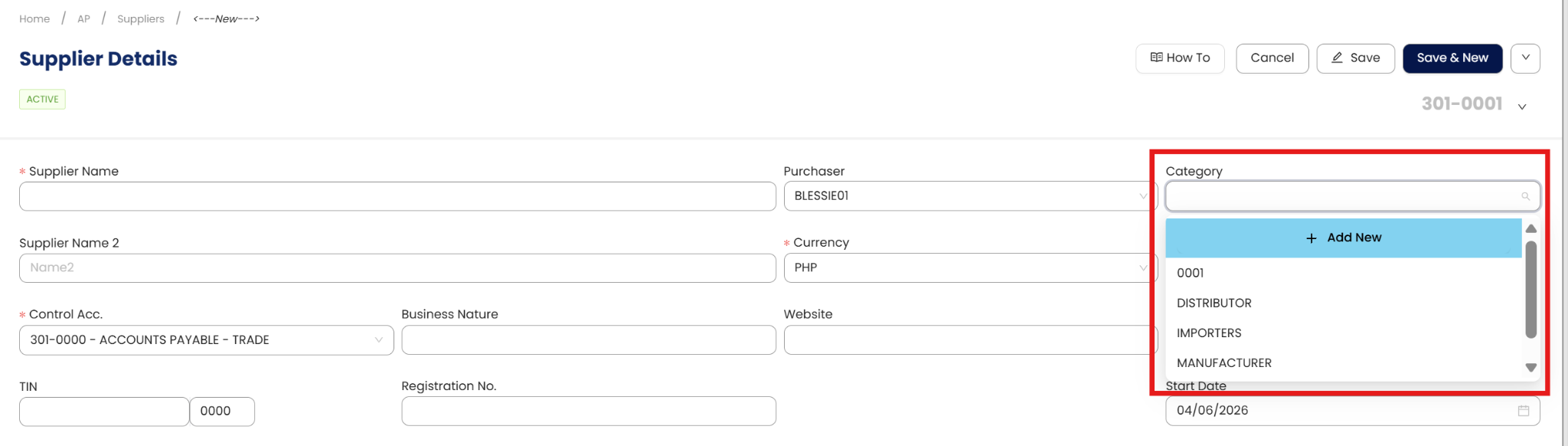
The Supplier Category is now available for selection when creating or editing supplier records, making it easier to organize suppliers and generate reports by category.
Important Note:
Editing and Deleting Transactions: According to regulatory guidelines, modifications or deletions of recorded transactions in the system may be strictly prohibited once Computerized Accounting System (CAS) approved. It's vital to adhere to your company's internal policy regarding these functionalities. It is generally advisable to disable or limit the ability to edit/delete to maintain compliance with regulations.
System Scope: QNE AI Cloud Accounting / N3 AI Accounting
Was this article helpful?
That’s Great!
Thank you for your feedback
Sorry! We couldn't be helpful
Thank you for your feedback
Feedback sent
We appreciate your effort and will try to fix the article