Overview:
Creating a Sales Invoice in N3 AI Accounting allows you to bill customers for goods or services provided. It helps accountants, sales staff, and business owners track revenue, manage accounts receivable, and maintain accurate financial records.
A Sales Invoice is an official document that records a sale, including the customer, items or services, quantities, prices, taxes, and total amount due.
Scenario:
A salesperson at an IT services company who needs to bill a client for consulting services delivered this month. To request payment and record the transaction, you create a Sales Invoice with itemized services, applicable taxes, and payment terms.
Procedure:
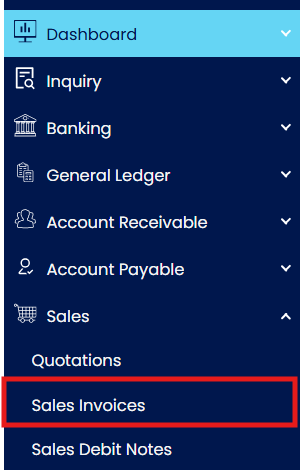
Navigate to Sales > Sales Invoices
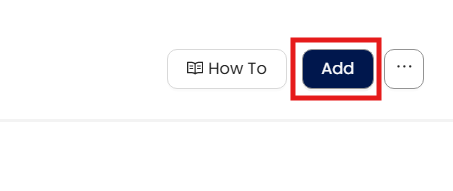
Click Add to open a blank invoice form
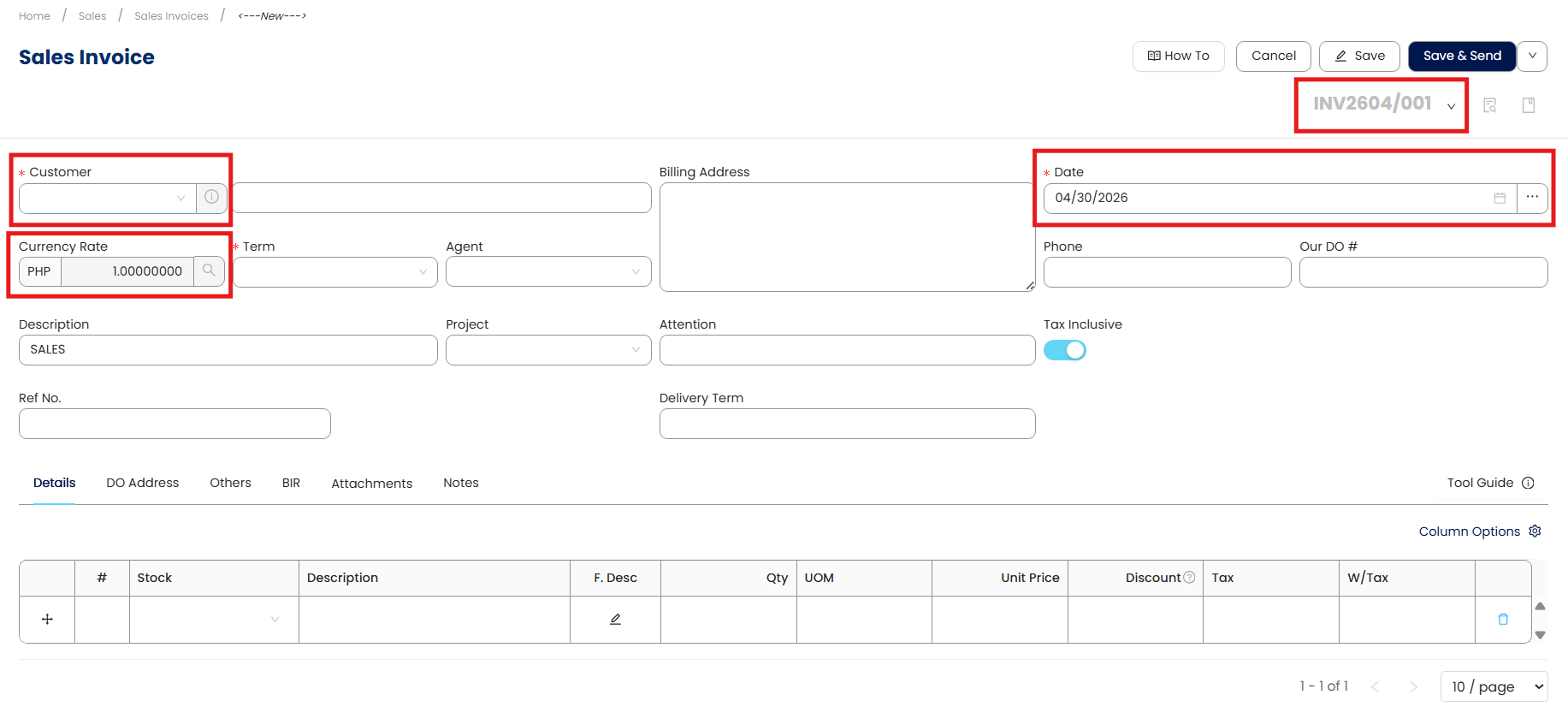
In the Customer Code field, select or search for the customer you are invoicing.
Note: The system will automatically populate other details based on the customer’s default set-up such as term, but you can change it if needed.
Set the Invoice Date and select the appropriate Doc Code to apply the correct invoice numbering sequence.
If the transaction uses a foreign currency, verify or update the Exchange Rate.
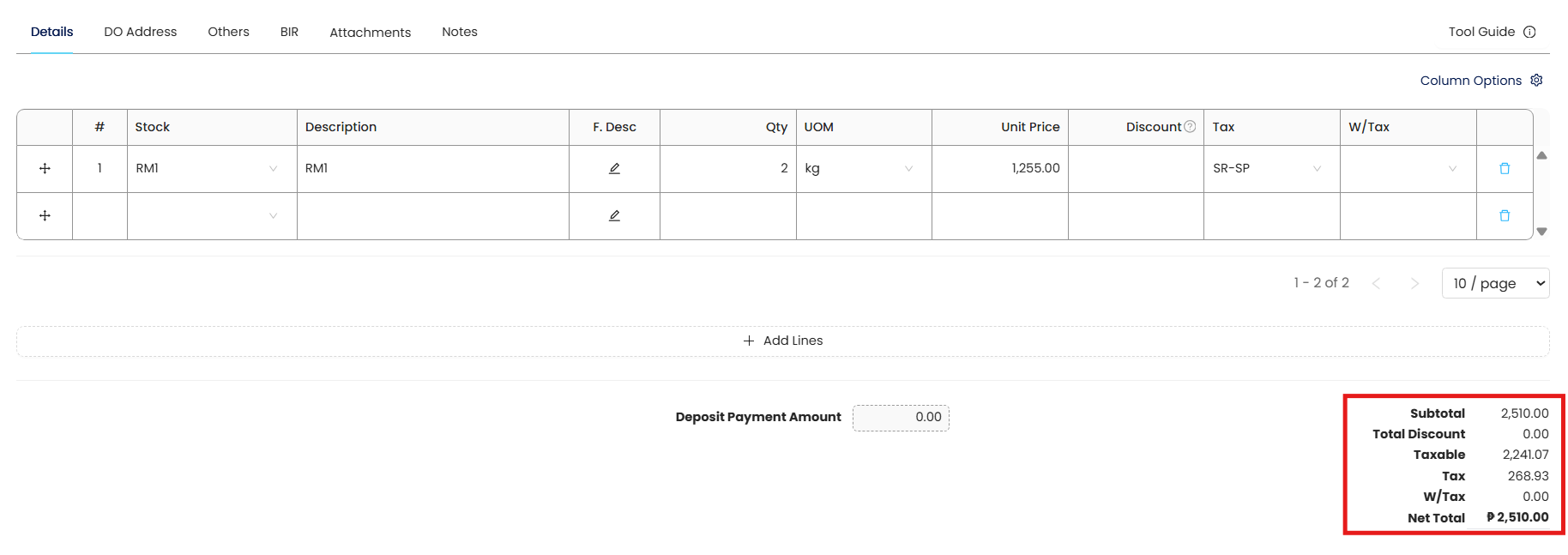
In the Item Code field, enter the products or services sold. For each line item:
Specify the Quantity
Verify the Unit Price
Confirm the Tax Code is correct
Add Wtax (ATC) Code if applicable
If the item price includes tax, select the Tax Inclusive option so the system calculates the correct tax portion automatically.
Review the Total Amount at the bottom of the invoice to ensure accuracy.
Click Save or Save & Approve to record the invoice in the system.
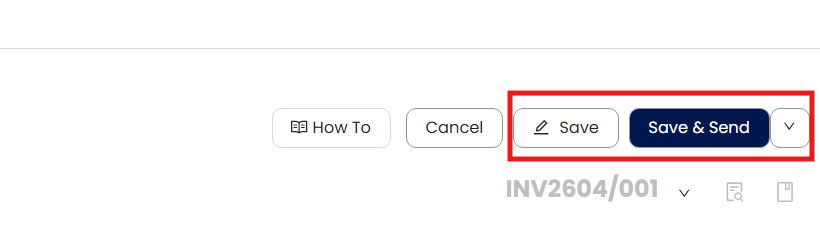
You can select whether the invoice will be:
Send to customer the invoice
Preview to review the invoice layout
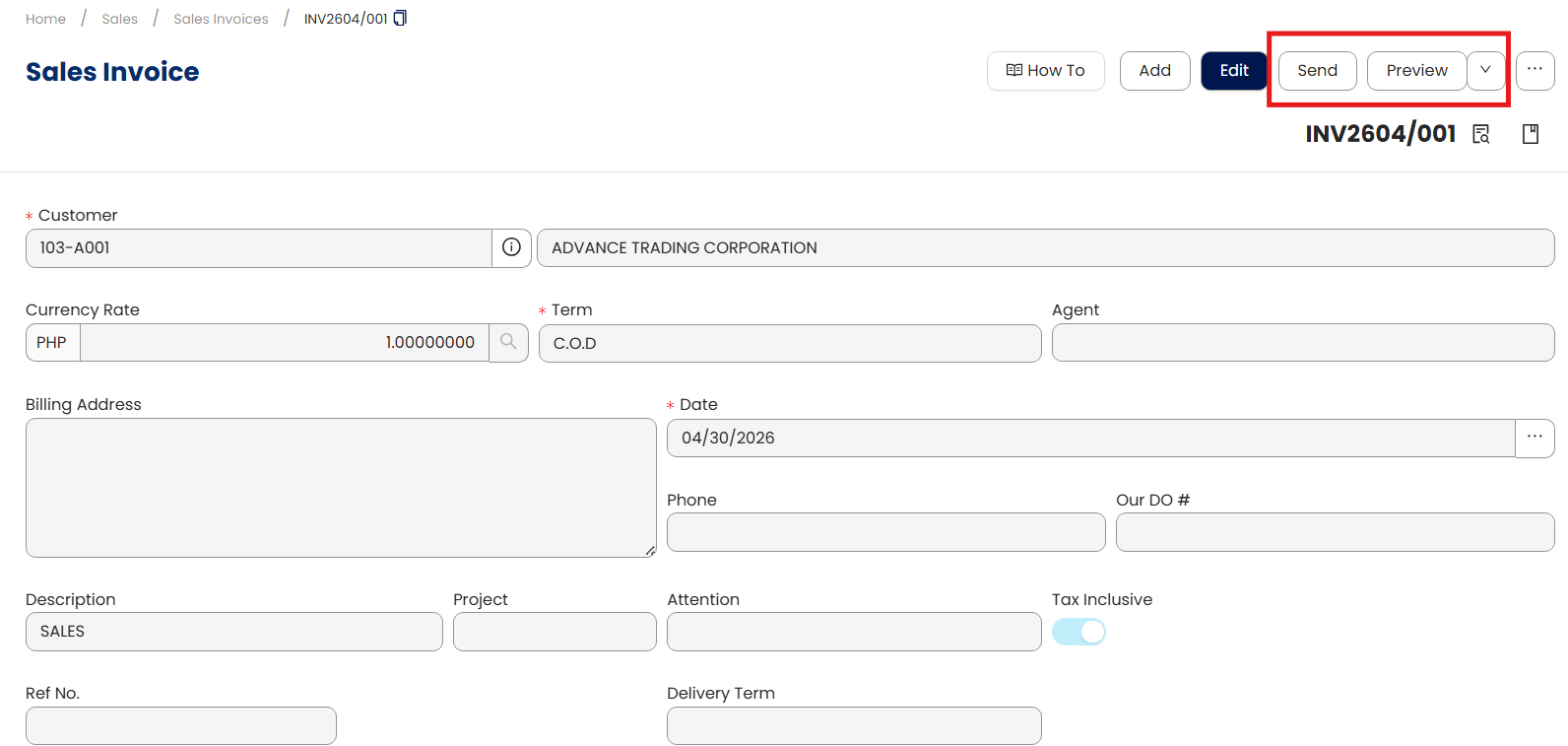
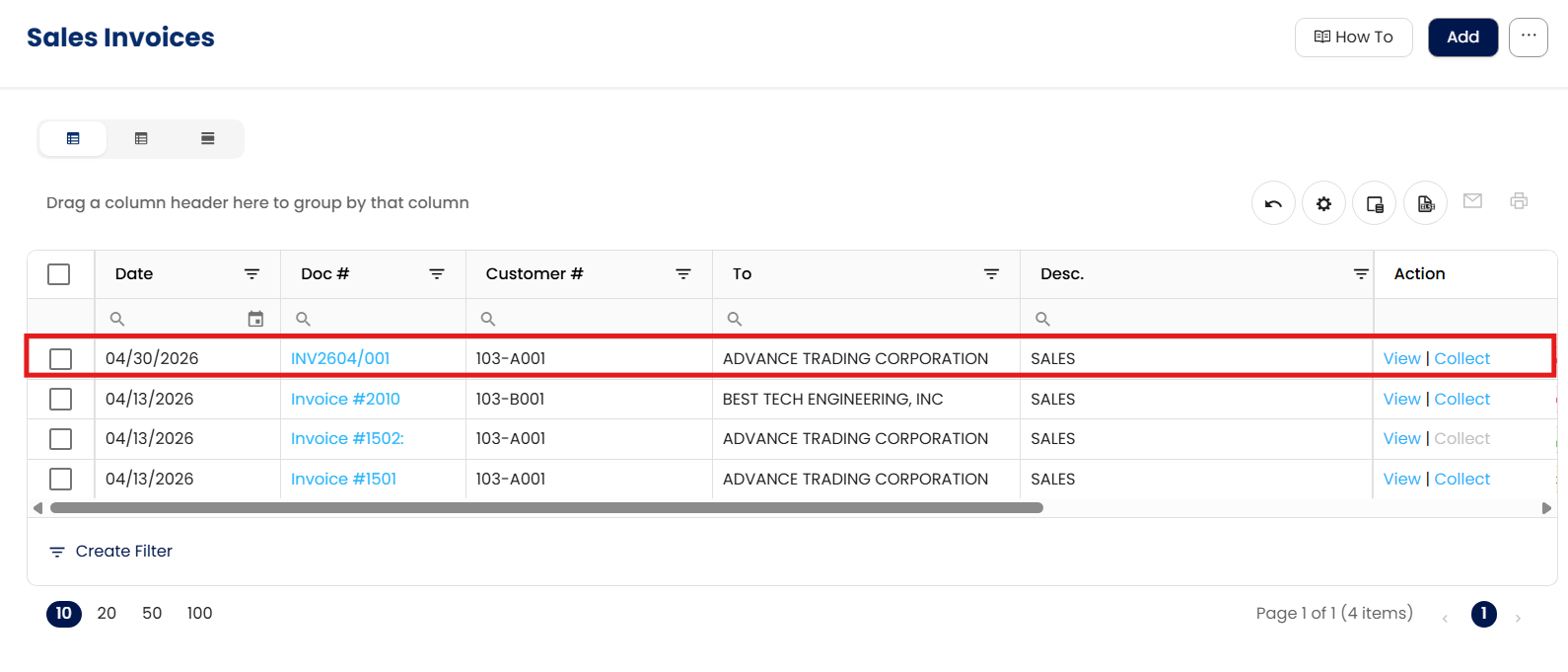
Confirm that the invoice is successfully saved and appears in the Sales Invoice list.
Application:
Billing Customers for Completed Services
A service-based business creates a Sales Invoice after completing work for a client. This ensures accurate billing, proper revenue recognition, and timely collection.
Recording Product Sales Transactions
A company issues a Sales Invoice when selling goods to customers. This records the sale in the system, updates revenue accounts, and tracks customer balances.
Managing Accounts Receivable
The accounting team uses Sales Invoices to monitor outstanding balances and follow up on unpaid customer accounts, improving cash flow management.
Ensuring Tax and Compliance Accuracy
Businesses generate Sales Invoices with correct tax codes and amounts to comply with tax regulations and support audit requirements.
Tracking Sales Performance
Management reviews Sales Invoice data to analyze sales by customer, product, or service, helping guide business decisions and planning.
System Scope: QNE AI Cloud Accounting / N3 AI Accounting
Was this article helpful?
That’s Great!
Thank you for your feedback
Sorry! We couldn't be helpful
Thank you for your feedback
Feedback sent
We appreciate your effort and will try to fix the article