Overview:
Stock Value Maintenance in N3 AI Accounting (formerly QNE AI Cloud Accounting) allows users to maintain and update the stock value at every month-end to ensure accurate financial reporting.
This feature is especially useful for businesses that handle inventory transactions, such as trading, distribution, and manufacturing companies.
Before you can perform Stock Value Maintenance, make sure that the following accounts have been properly set up in your Chart of Accounts:
Stock at the Beginning of the Year
Stock at the End of the Year
Stock Account
These accounts are used by the system to record stock valuation adjustments, ensuring your financial statements reflect the correct stock value at each reporting period.
Scenario:
At the end of each month, ABC Trading wants to confirm that its inventory balance in the accounting books matches the actual stock value. The accounting team uses the Stock Value Maintenance feature to update the stock value automatically based on system-calculated inventory costs, ensuring accurate Cost of Goods Sold (COGS) and Balance Sheet reporting.
Procedure 1: Adding Stock Value Maintenance
To set up and run Stock Value Maintenance, follow these steps:
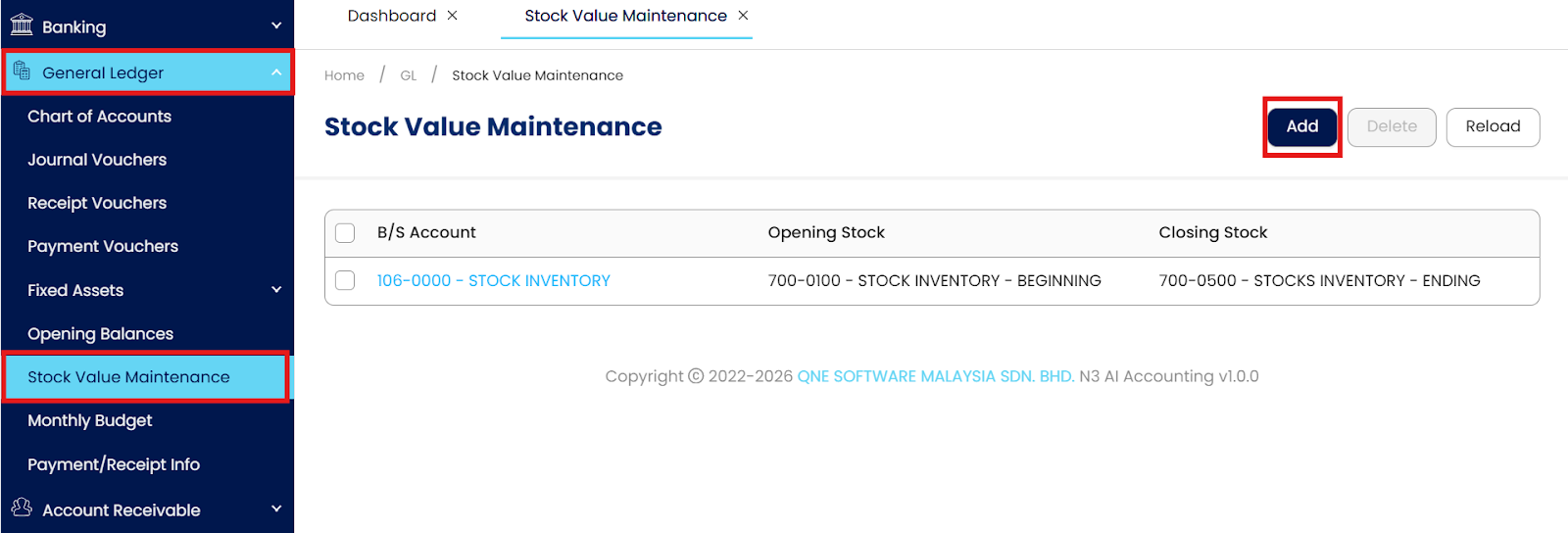
Go to General Ledger Module select Stock Value Maintenance, Click Add
Enter Stock Account Details.
In the Stock Accounts section, fill in the following fields based on your Chart of Accounts:
B/S Account – Select the Stock Inventory account.
Opening Stock – Select the Stock Inventory – Beginning account.
Closing Stock – Select the Stock Inventory – Ending account.
Set the Period.
Under the Period section, enter the Year (e.g., 2025).
The system will display a Monthly Closing Balance table for the selected year.
Input Monthly Closing Values.
For each month, enter the Value of your stock balance as of month-end.
Example:
January – 96,095.00
February to December – Leave blank if not yet available.
Save the Setup.
Click Save & Close once all entries are correct.
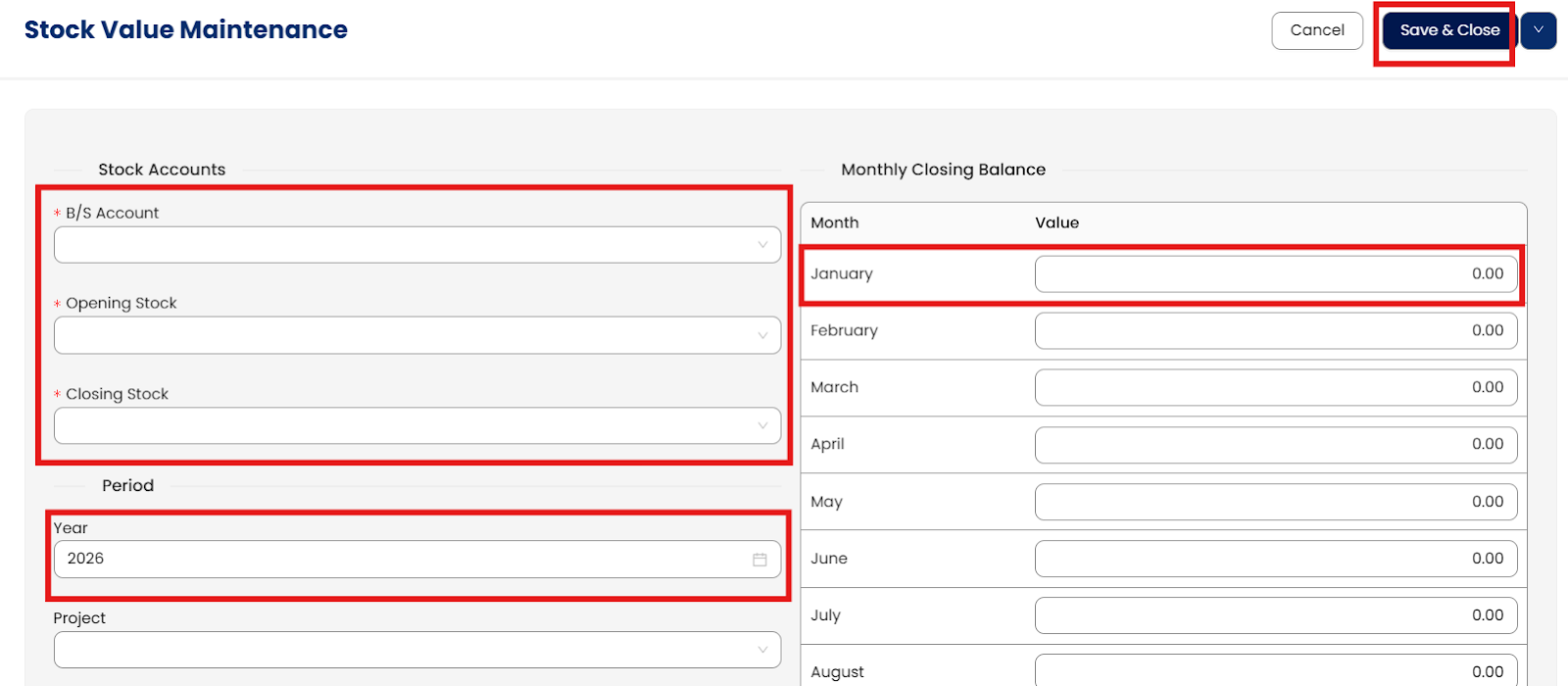
The system will automatically update your stock valuation and reflect it in your financial reports.
Procedure 2: Editing Stock Value Maintenance
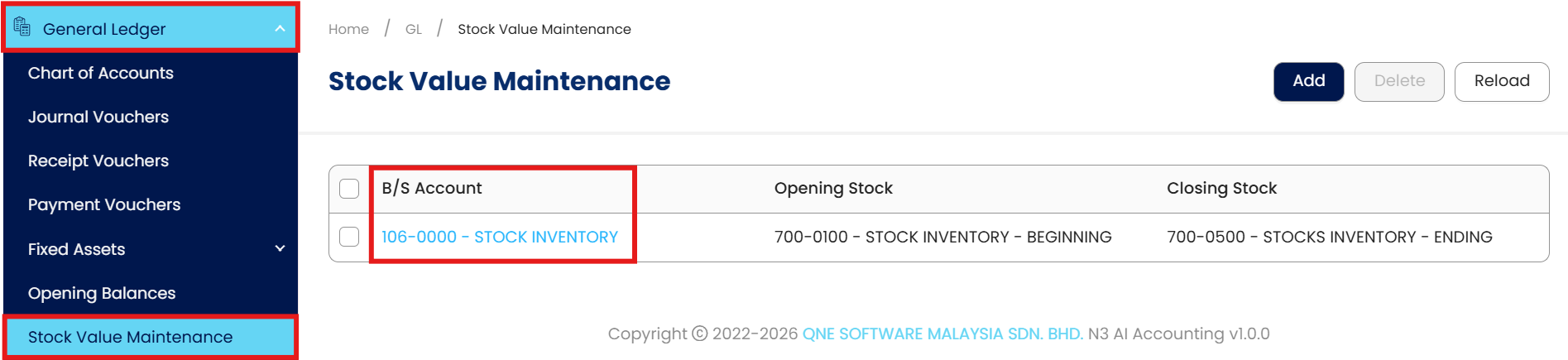
Go to General Ledger > Stock Value Maintenance, then select the code of the B/S Account you want to update.
Click Edit and apply any necessary changes.
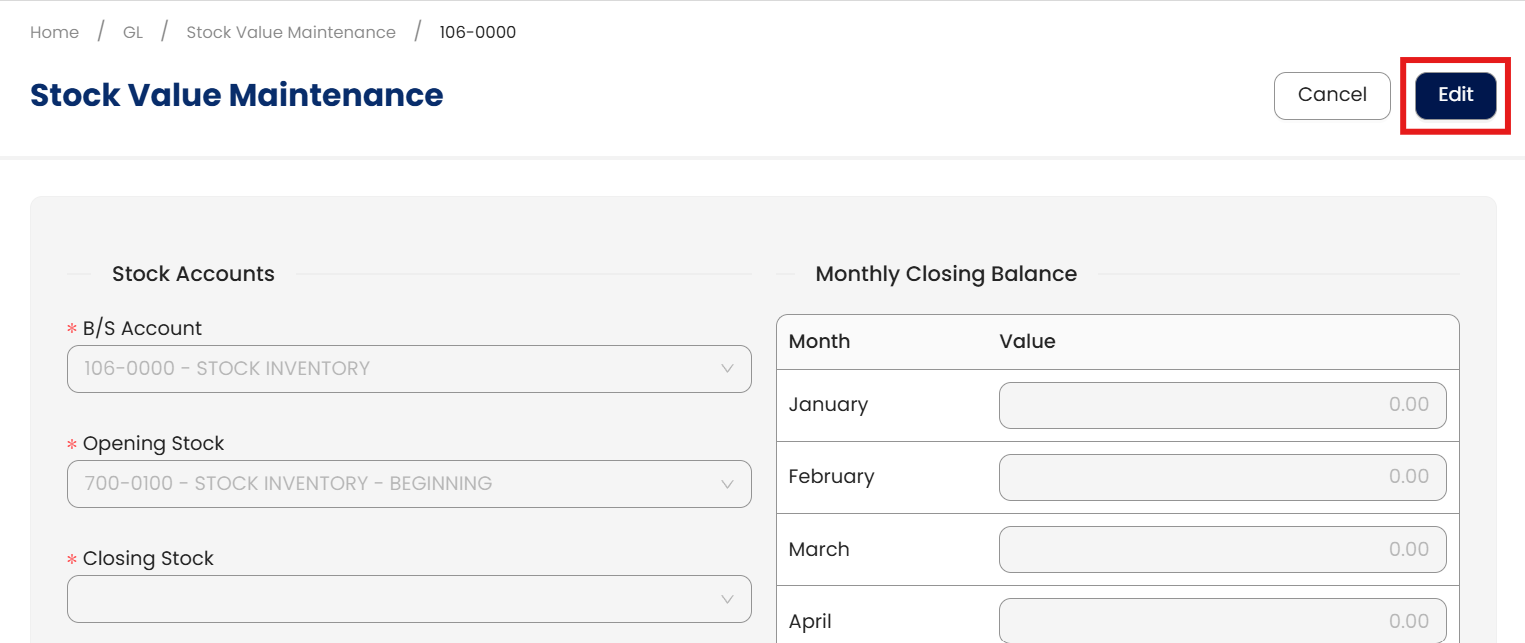
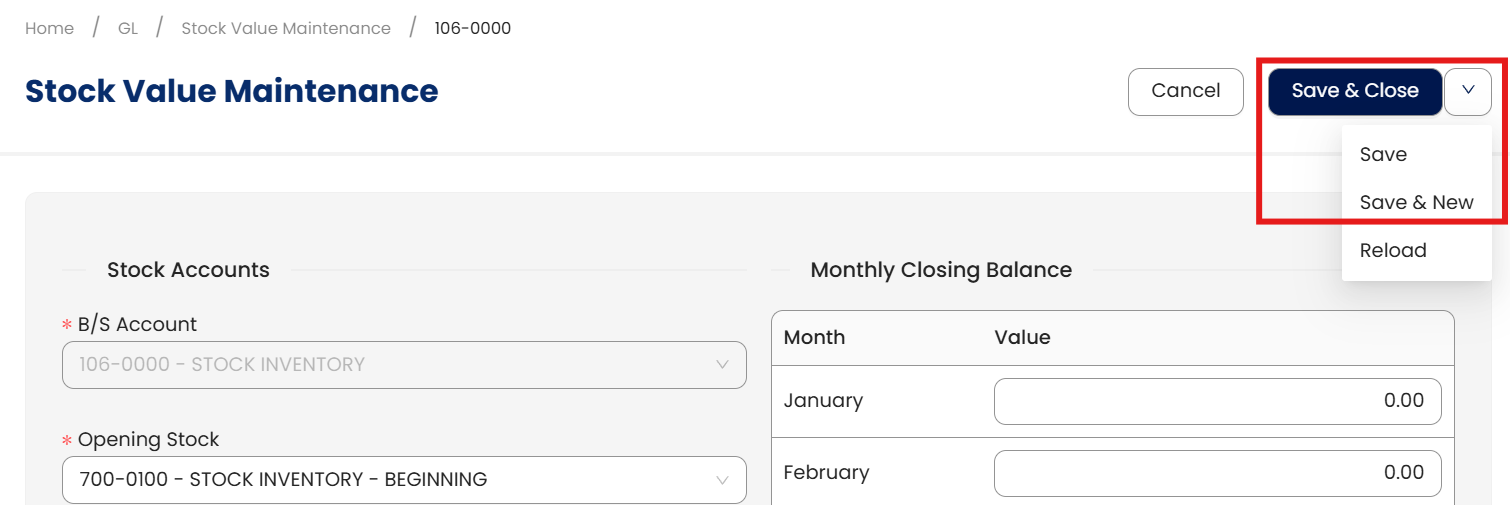
Once done, click Save, Save & New, or Save & Close to update the item.
Procedure 3: Deleting Stock Value Maintenance
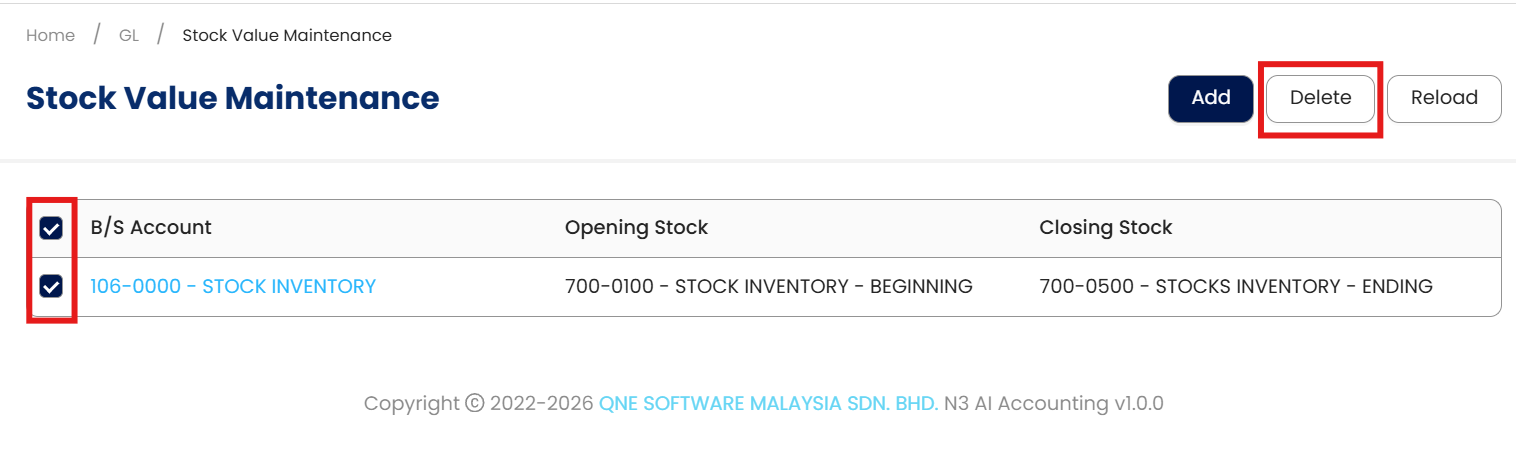
In the Stock Value Maintenance List View, tick the checkbox beside the item you wish to delete. Then, Click Delete.
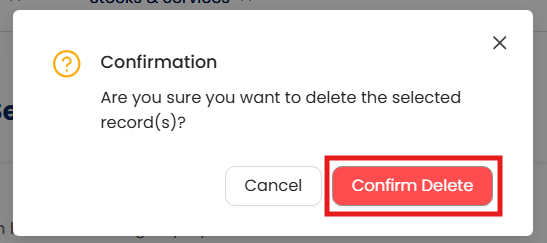
When the confirmation message appears, click Confirm Delete.
Note:
Stock Value Maintenance deletion is only permitted if the item has no existing values. This restriction ensures data integrity and prevents inconsistencies in inventory records by safeguarding historical transaction data.
Application:
Here are some practical applications of Stock Value Maintenance:
Month-End Reconciliation
Ensure your recorded stock values match actual physical inventory and system valuation.
Accurate Financial Statements
Generate precise Balance Sheet and COGS figures for financial reporting and analysis.
Audit Readiness
Provide auditors with verified monthly stock values to support inventory valuation.
Performance Analysis
Track inventory value fluctuations to identify cost changes or unusual stock movements.
Fiscal Year Transition
Seamlessly carry forward closing stock balances as opening balances for the new year.
System Scope: QNE AI Cloud Accounting / N3 AI Accounting
Was this article helpful?
That’s Great!
Thank you for your feedback
Sorry! We couldn't be helpful
Thank you for your feedback
Feedback sent
We appreciate your effort and will try to fix the article