Overview:
Withholding Tax (W/Tax) codes in N3 AI Accounting allow you to automatically calculate and post withholding tax on purchases, payments, and other taxable transactions. This helps your company stay compliant with BIR requirements while reducing manual work and errors.
W/Tax Codes are predefined in the system based on the BIR’s Alphanumeric Tax Codes (ATC) and their corresponding rates. By default, these codes have no assigned posting accounts. To use a W/Tax Code, you must assign it to the correct GL account and activate it. Once enabled, the code can be applied to suppliers, customers, or transactions, ensuring withholding taxes are posted correctly and reflected in financial reports.
Scenario:
A consultancy firm issues a Sales Invoice for professional services. Since the income is subject to 10% EWT (WC 010), the client withholds tax upon payment. To automate the calculation and posting, the accountant sets up the corresponding W/Tax Code in N3 AI Accounting and assigns the correct posting GL account.
Procedure:
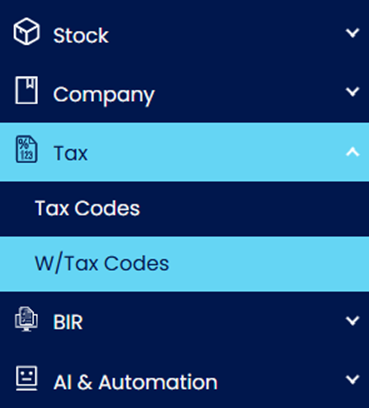
Go to Tax > W/Tax Codes.
Open the W/Tax Code you need to use.
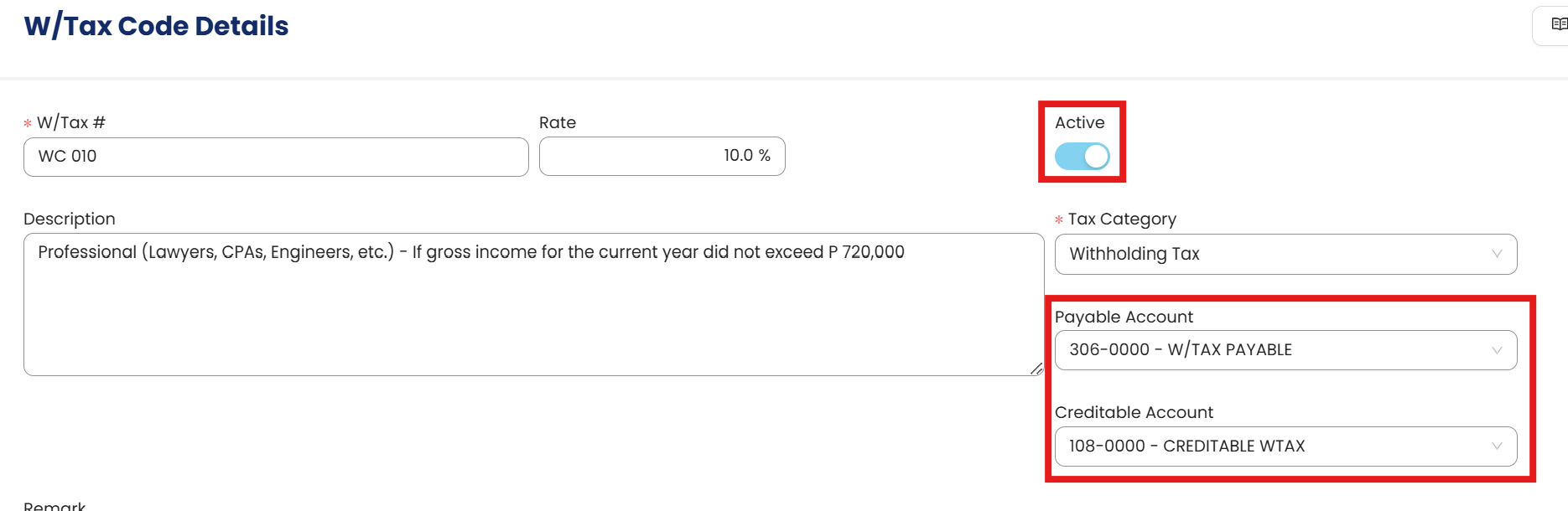
Configure the following:
Active - Toggle on to mark the W/Tax Code as active.
Payable Account – Assign the Withholding Tax Payable account (for Purchases & Accounts Payable, Payment Voucher).
Creditable Account – Assign the Withholding Tax Creditable account (for Sales & Accounts Receivable, Receipt Voucher)
Note: Set up only the account(s) that apply to your business. It is not required to complete both fields.
Click Save or Save & Close to apply the changes.
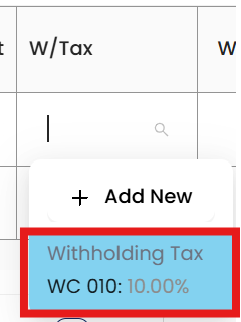
Validation: The W/Tax Code now appears in the selection list when recording a transaction.


Procedure: Edit and Deletion
Editing W/Tax Code Settings
To update the GL accounts or activation status of a tax code, follow these steps:
Navigate to Tax > W/Tax Codes and select the code you wish to modify.
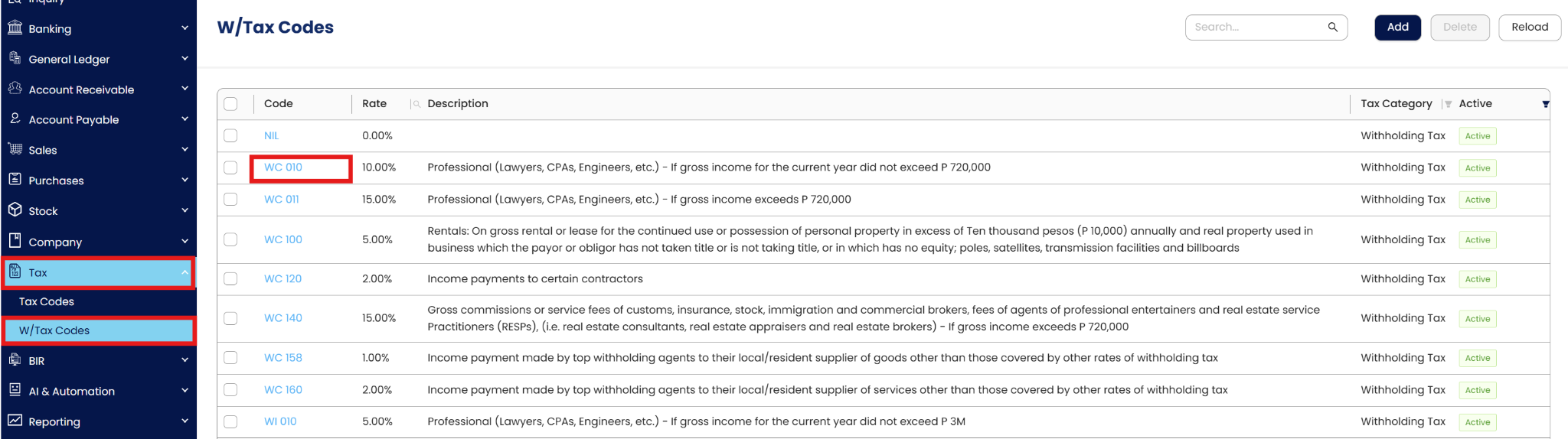
Click the Edit icon to apply your changes.

Click Save to apply the updates. These changes will apply to all future transactions using this code.

Deleting a W/Tax Code
To remove a tax code, select it from the list and click Delete.

Restriction: Deletion is prohibited if the W/Tax Code has already been applied to any posted transactions or master records (like Suppliers or Customers).
Application (General Use Cases):
Once W/Tax Codes are enabled and linked to posting GL accounts, they streamline accounting workflows across different areas:
Supplier Payments – Apply Expanded Withholding Tax (EWT) on payments for professional fees, rentals, or services.
Customer Collections – Record Final Withholding Tax (FWT) when customers withhold tax at source.
Expense Control – Ensure withholding tax liabilities are consistently posted to the Withholding Tax Payable account, simplifying reconciliation.
Compliance Reporting – Generate accurate EWT and FWT summaries for timely BIR submission.
Audit Readiness – Maintain consistent and traceable posting of withholding taxes for smooth audits.
Example:
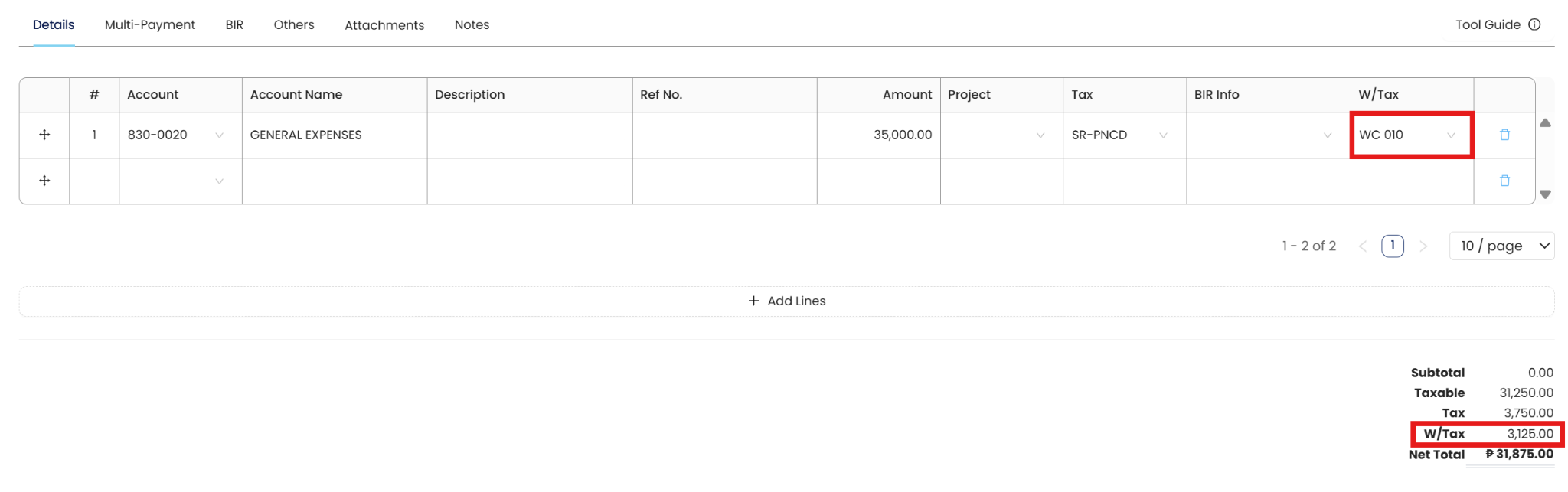
When recording a Payment Voucher for professional fees with a 1% EWT code (WC 158), the system automatically calculates the withholding tax and posts it to the Withholding Tax Payable account. This ensures your payable balances remain correct and your BIR reports stay compliant.
Important Note:
Editing and Deleting Transactions: According to regulatory guidelines, modifications or deletions of recorded transactions in the system may be strictly prohibited once Computerized Accounting System (CAS) approved. It's vital to adhere to your company's internal policy regarding these functionalities. It is generally advisable to disable or limit the ability to edit/delete to maintain compliance with regulations.
System Scope: QNE AI Cloud Accounting / N3 AI Accounting
Was this article helpful?
That’s Great!
Thank you for your feedback
Sorry! We couldn't be helpful
Thank you for your feedback
Feedback sent
We appreciate your effort and will try to fix the article