Overview:
The Outstanding Bills Report in N3 AI Accounting provides visibility into unpaid supplier obligations. It helps users identify outstanding balances, monitor amounts due to suppliers, and support payment planning.
This article provides a step-by-step guide on how to access and generate the Outstanding Bills Report to review unpaid supplier bills and support Accounts Payable monitoring.
Scenario:
An Accounts Payable staff member needs to review the company's unpaid supplier bills to determine which obligations remain outstanding. The staff member accesses the Outstanding Bills Report, selects the applicable report parameters, generates the report, and reviews the results to monitor outstanding supplier balances.
Procedure:
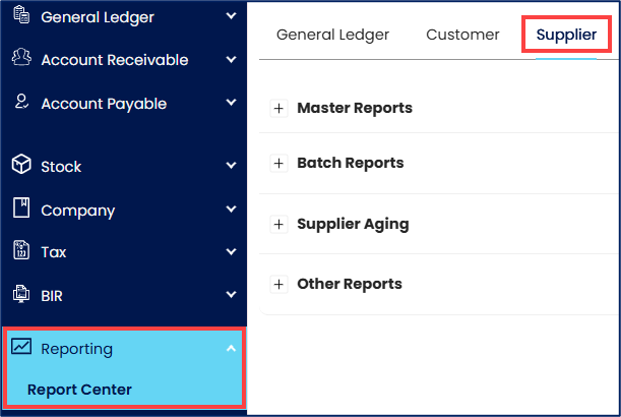
From the navigation panel, go to Reporting > Report Center > Supplier tab.
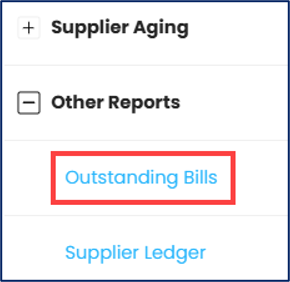
Expand Other Reports and select Outstanding Bills.
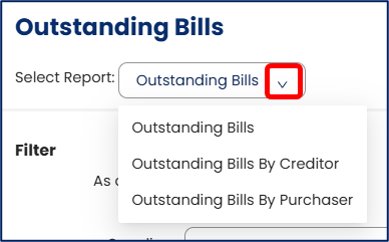
Under Select Report, choose the report format you need: Outstanding Bills, Outstanding Bills By Creditor, or Outstanding Bills By Purchaser.
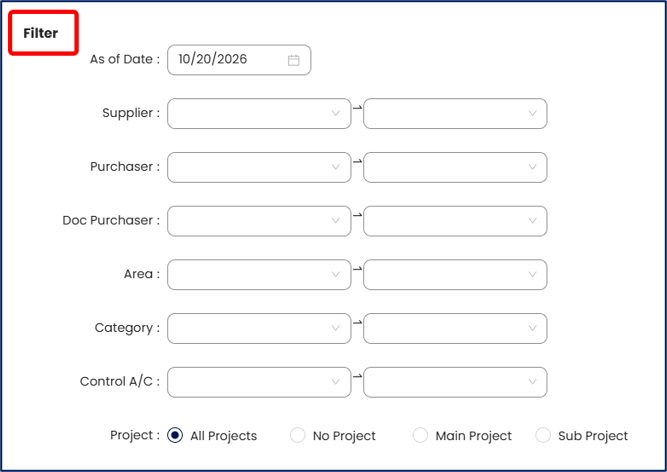
Under Filter, specify the applicable report filters:
Under Doc Types, review the selected document types and remove any that you don’t want to include in that report.

Under Sort By, select the applicable sorting option:

Click Preview to generate a preview of the Outstanding Bills report using the selected report format and parameters.

Review the generated Outstanding Bills Report to verify the outstanding balances and included supplier bills.
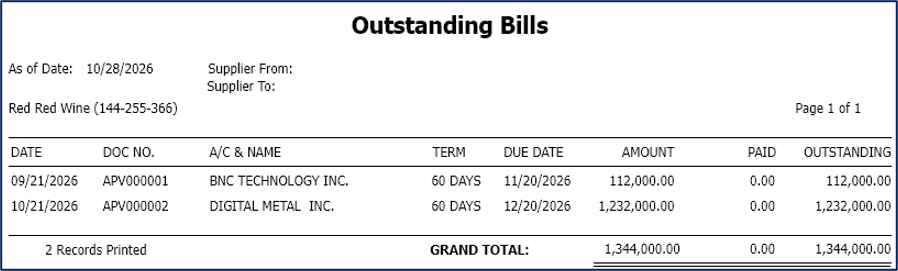
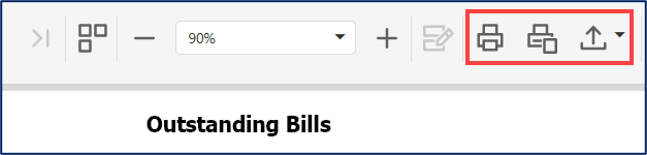
Export or print the report. Use the available options to export the generated report in a supported format, such as PDF or Excel, or print it directly.
Application:
Monitor outstanding supplier obligations – Identify unpaid bills and review the amounts that remain outstanding.
Support payment planning – Review outstanding balances to help prioritize supplier payments.
Improve Accounts Payable monitoring – Maintain visibility into unpaid supplier obligations.
Support account reconciliation – Compare the report results with recorded supplier transactions and related accounting records.
Maintain financial documentation – Use the generated report as a reference for internal reviews and payment planning.
System Scope: QNE AI Cloud Accounting / N3 AI Accounting
Was this article helpful?
That’s Great!
Thank you for your feedback
Sorry! We couldn't be helpful
Thank you for your feedback
Feedback sent
We appreciate your effort and will try to fix the article