Overview:
The Supplier Knock Off form is used to offset or match supplier-related transactions. It allows you to reconcile:
Supplier Payments (Advance Payments)
Supplier Credit Notes
against:
Bills (Supplier Invoices)
Supplier Debit Notes
This form consolidates all outstanding (floating) transactions for a selected supplier, enabling accurate and efficient reconciliation of payables.
Scenario:
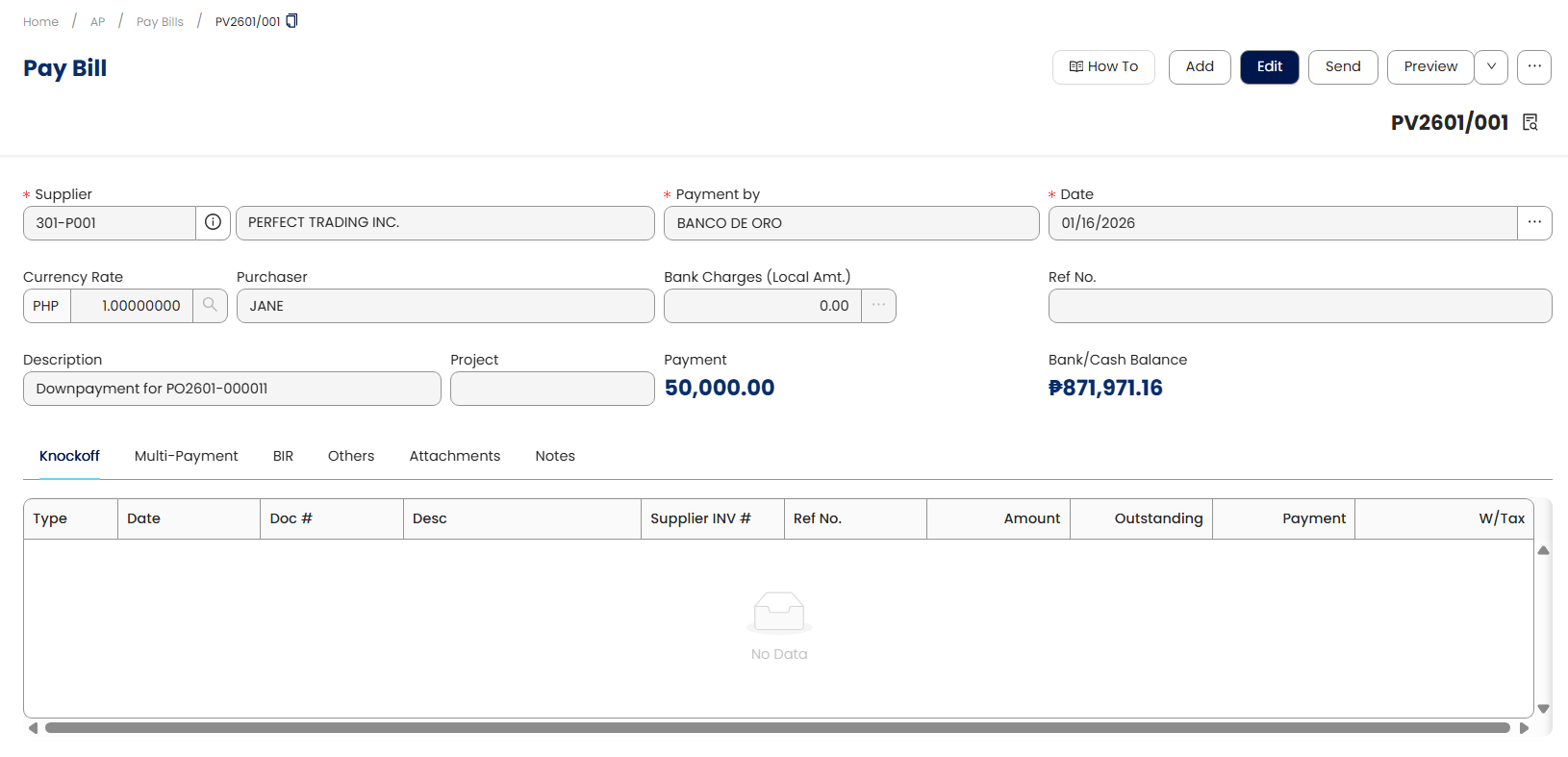
A payment was made to a supplier in advance before receiving the bill.
The advance payment was recorded in the previous month
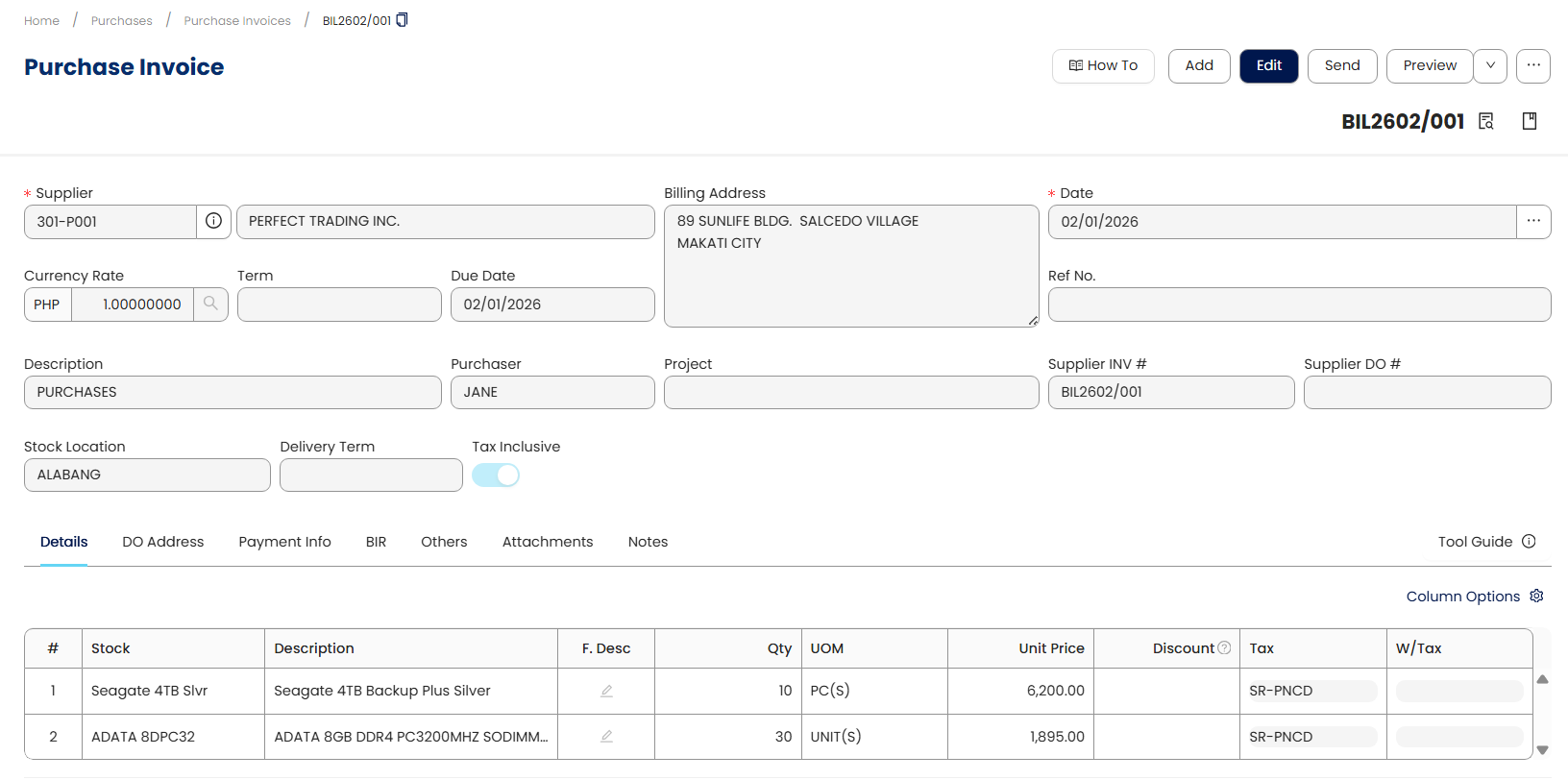
The supplier bill was only received and recorded in the current month
Since the payment was recorded earlier, it remains unapplied (floating) until it is matched with the corresponding bill.
To properly reflect the transaction and clear the payable, the Supplier Knock Off form is used to match the advance payment with the bill.
Procedure:
Ensure an advance payment has already been recorded for the supplier (e.g., in the previous month).
Create the corresponding bill once it is received (e.g., in the current month).
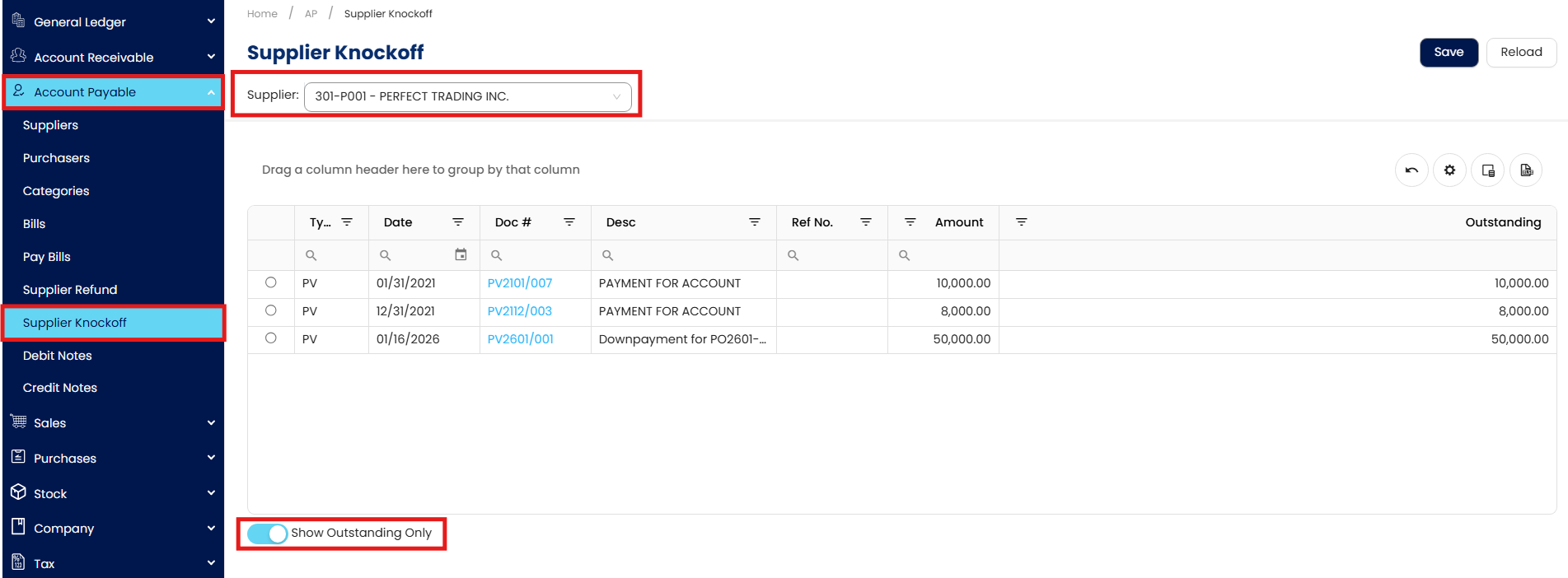
Navigate to Accounts Payable > Supplier Knock Off, select the specific supplier, and tick “Show Outstanding Only” to display open transactions.
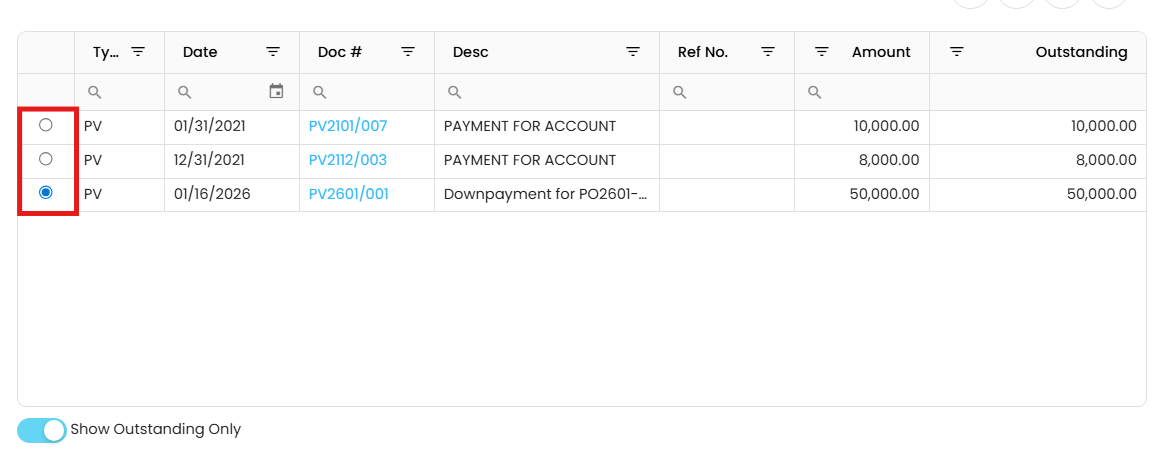
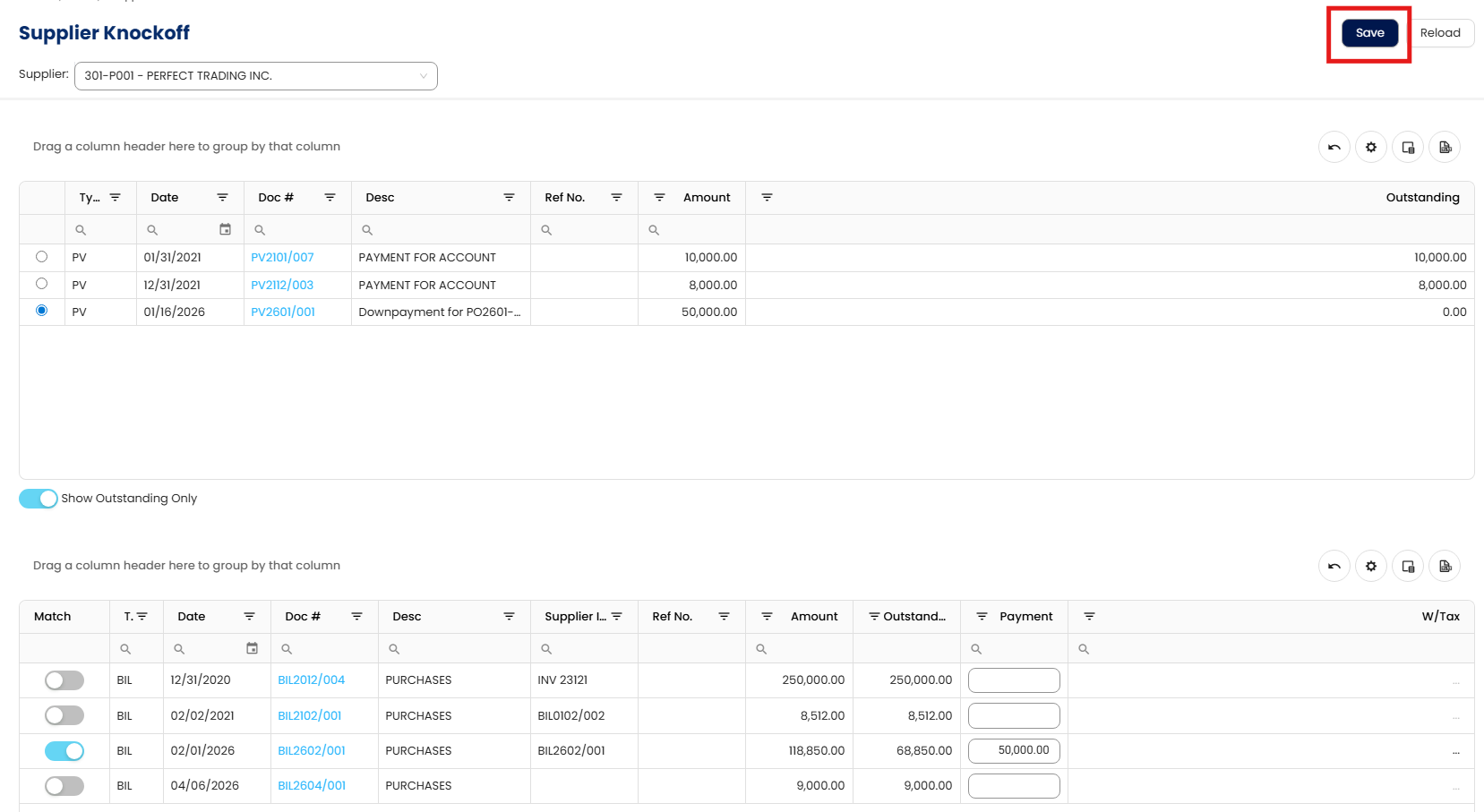
In the top table, which lists Pay Bills (advance payments) and Supplier Credit Notes, select the transaction you want to apply.
.
In the bottom table, which shows unpaid Bills and Supplier Debit Notes, enable the toggle under the “Match” column for the corresponding bill.
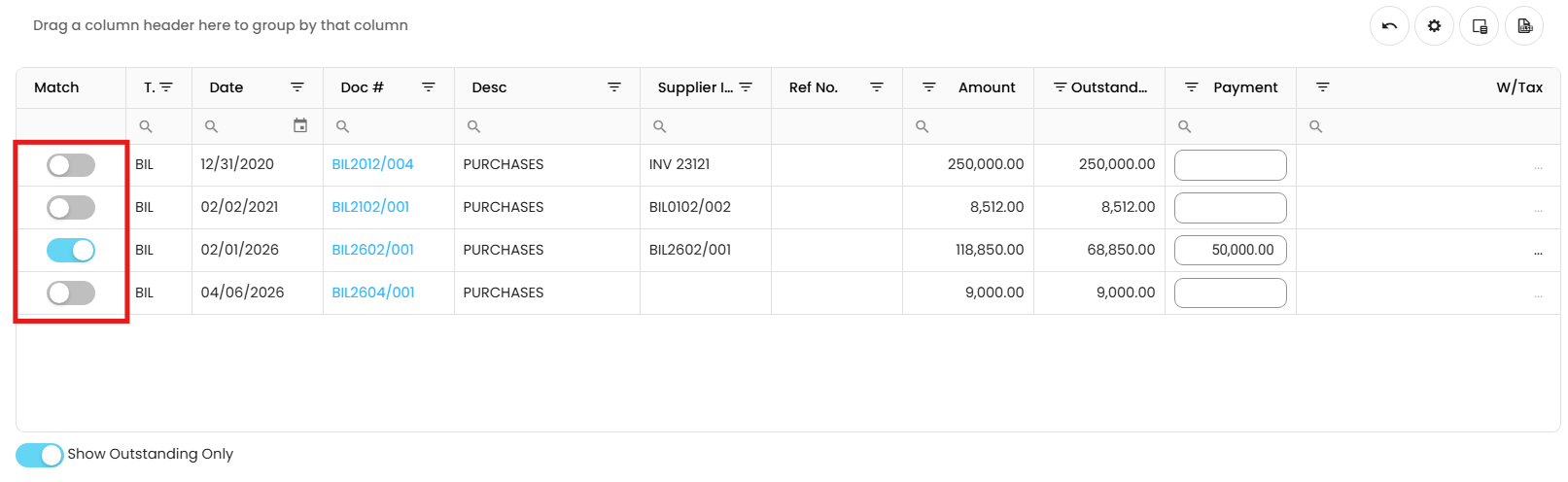
Click Save to complete the knock off process and update the supplier’s account with cleared transactions and updated balances.
Application:
The Supplier Knock Off function is applied to ensure that supplier transactions are properly matched and reflected in the system, especially in cases involving timing differences or adjustments.
When to Use
Use this form in the following situations:
Advance Payment Matching
When payment is made before receiving the supplier’s billUnapplied Credit Note
When a Supplier Credit Note was created but not applied during entry.Debit Note Reconciliation
When supplier debit notes need to be offset against existing payments or credits
System Scope: QNE AI Cloud Accounting / N3 AI Accounting
Was this article helpful?
That’s Great!
Thank you for your feedback
Sorry! We couldn't be helpful
Thank you for your feedback
Feedback sent
We appreciate your effort and will try to fix the article